Table of Contents
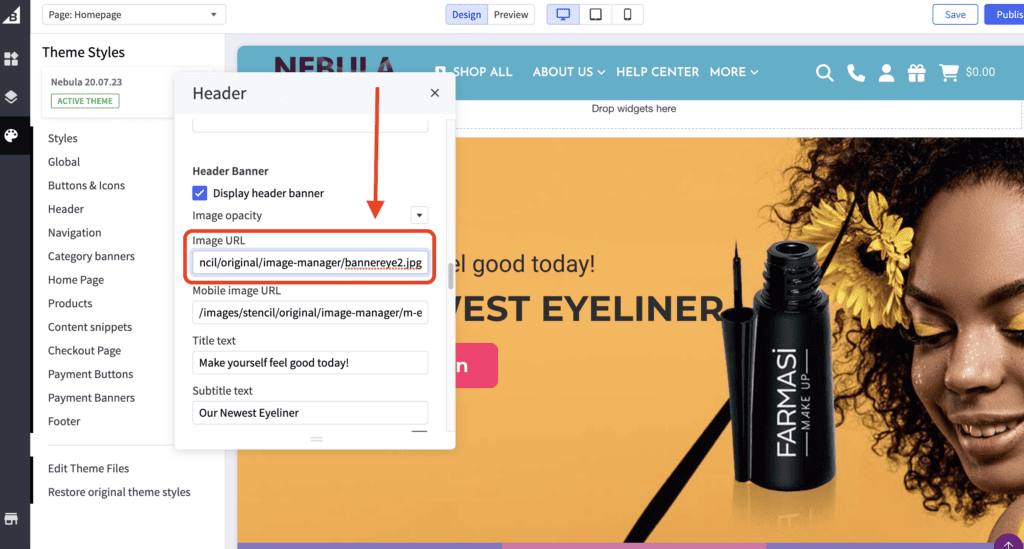
Nebula Theme #
- In the theme customizer, go to the Header section.
- Scroll down to the Header Banner setting and input the image URL, link, and title.
- Images are loaded in the BigCommerce image manager using partial filepaths.
Click here to view our guide on how to use Partial Filepaths
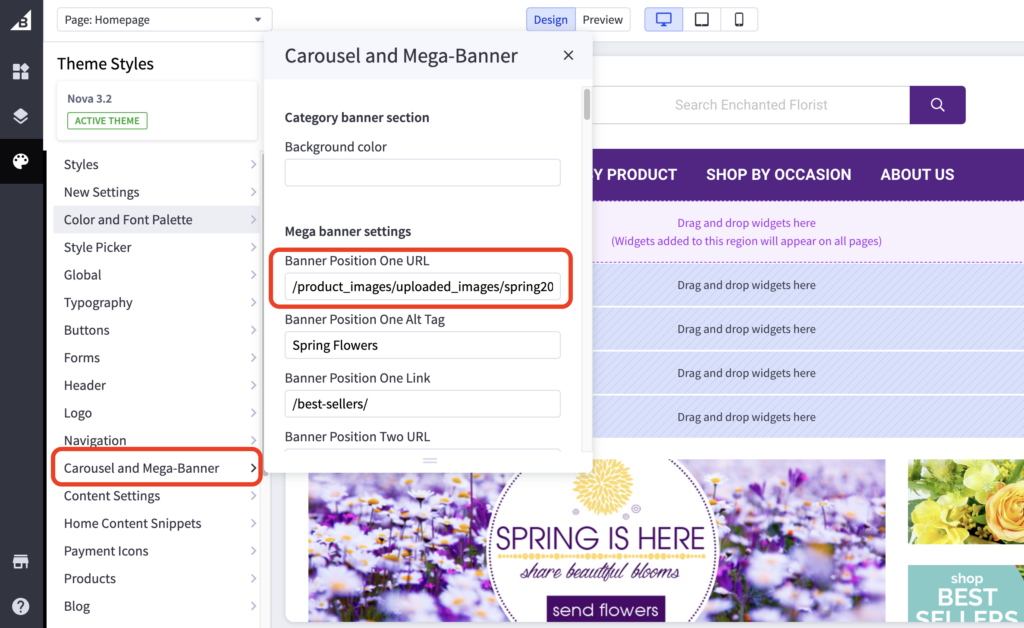
Nova Theme #
- In the theme customizer, go to the Carousel and Mega-Banner section.
- Scroll down to the Mega banner setting and input the image URL, link, and title. Kindly double check the Banner Position.
- Images are loaded in the BigCommerce image manager using partial filepaths.
Click here to view our guide on how to use Partial Filepaths