Table of Contents
Top narrow bar above the main header
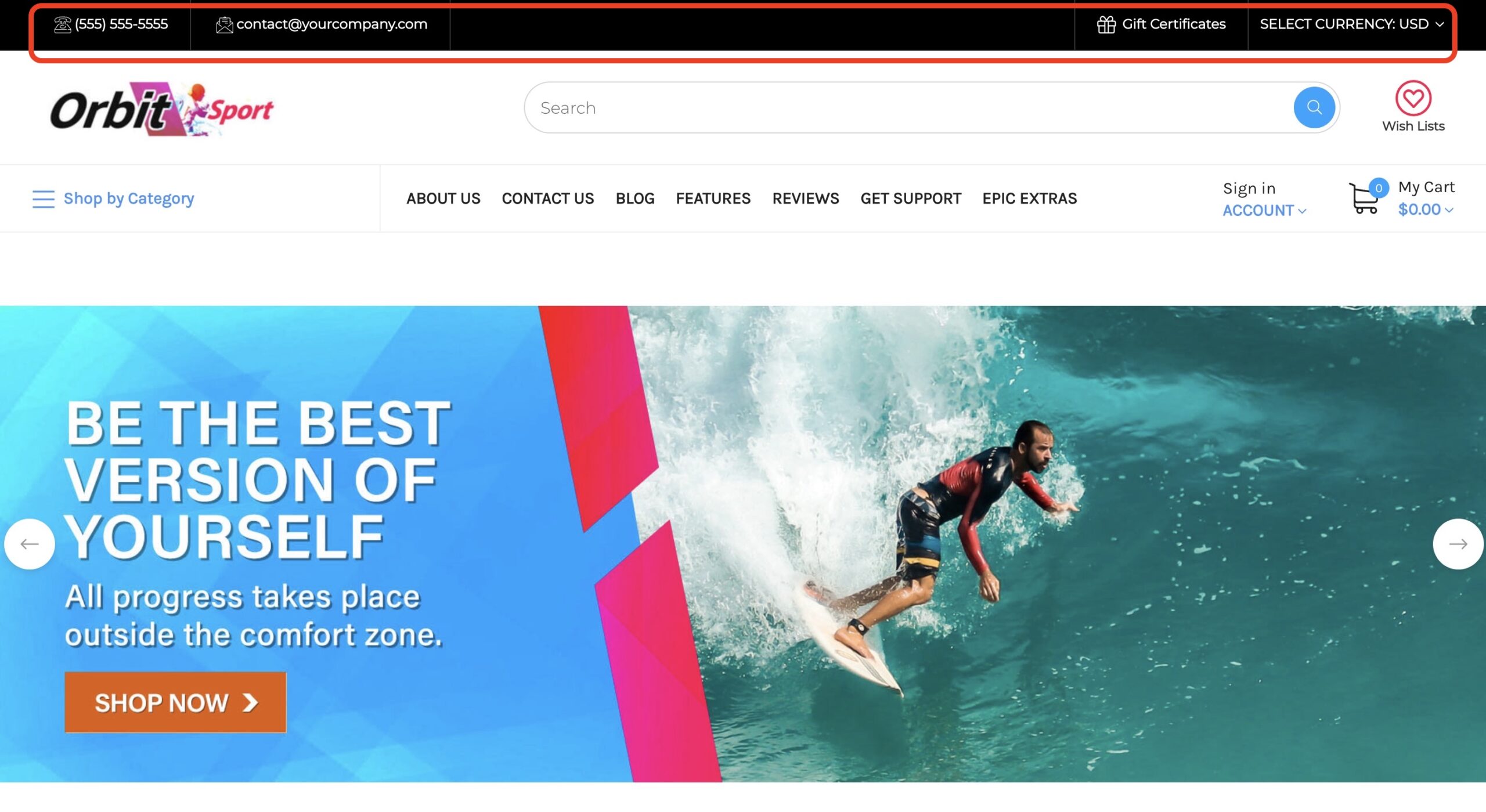
How can I change the top bar & header background color? #
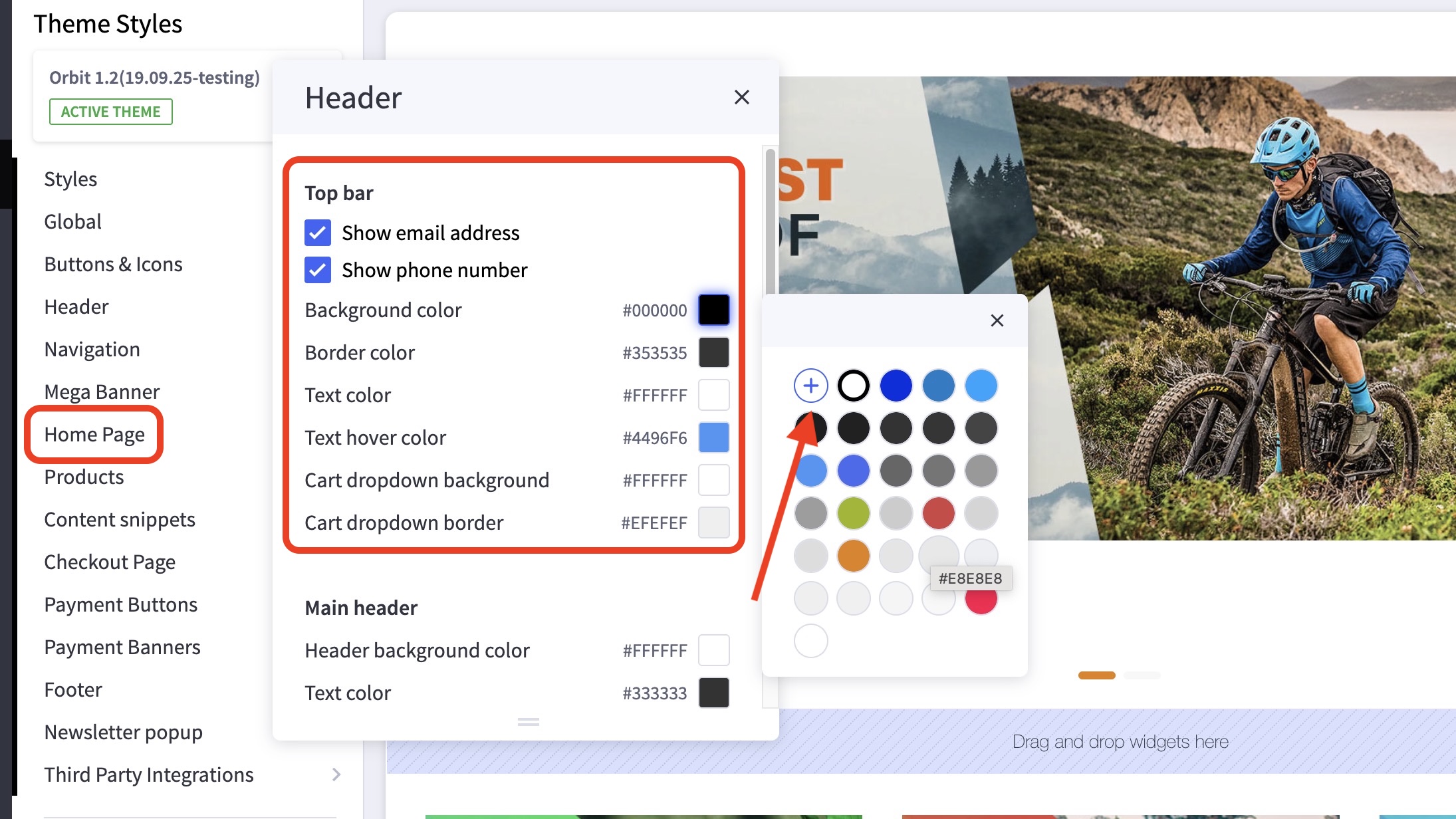
- In the theme customizer, go to the Header section and scroll to the
Top bar or Main header subsection. - Click the color palette icon to select from the list of options.
- You can click the (+) button to type in a Hex code or to use the slider.
How can I change the phone number and email address in the top bar? #
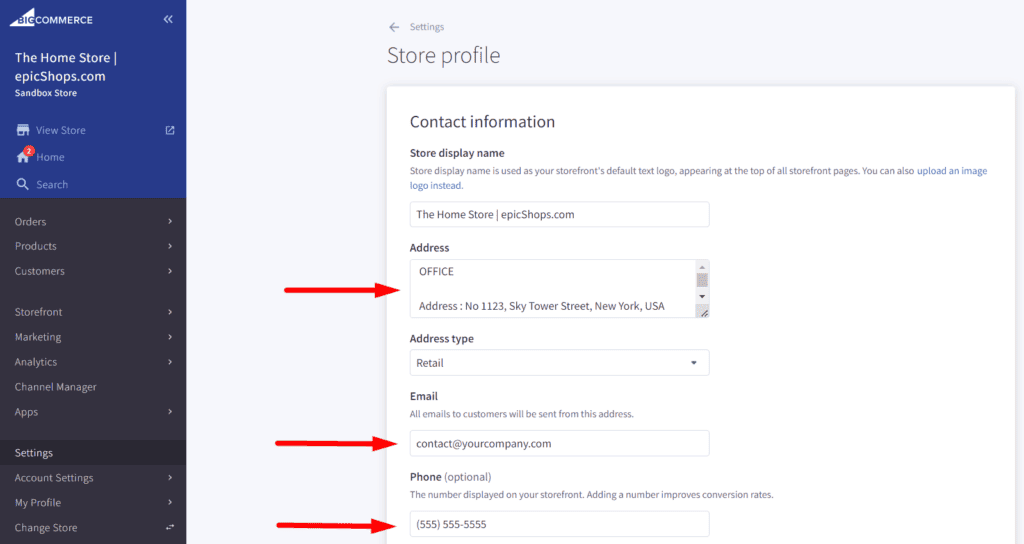
- In the BigCommerce dashboard, go to Setting > Setup > Store Profile.
- Enter the email, and phone number in the fields provided.