Table of Contents
Be careful, these should only be touched if you’re confident you know what you’re doing, this section has easy-to-break code that will damage your site.
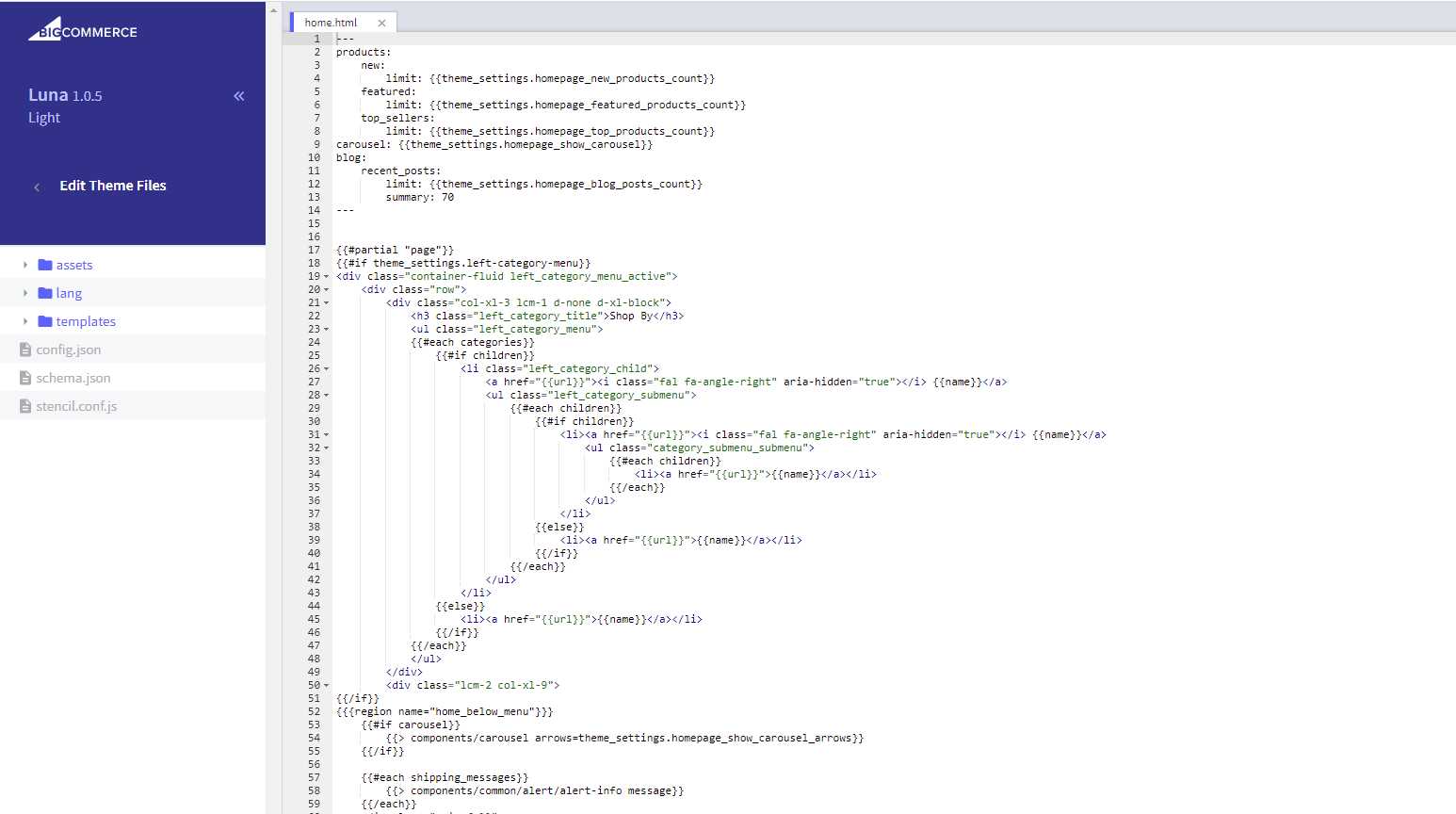
From the BigCommerce Dashboard #
- In the BigCommerce dashboard, from the menu on the left, select Storefront > My Themes.
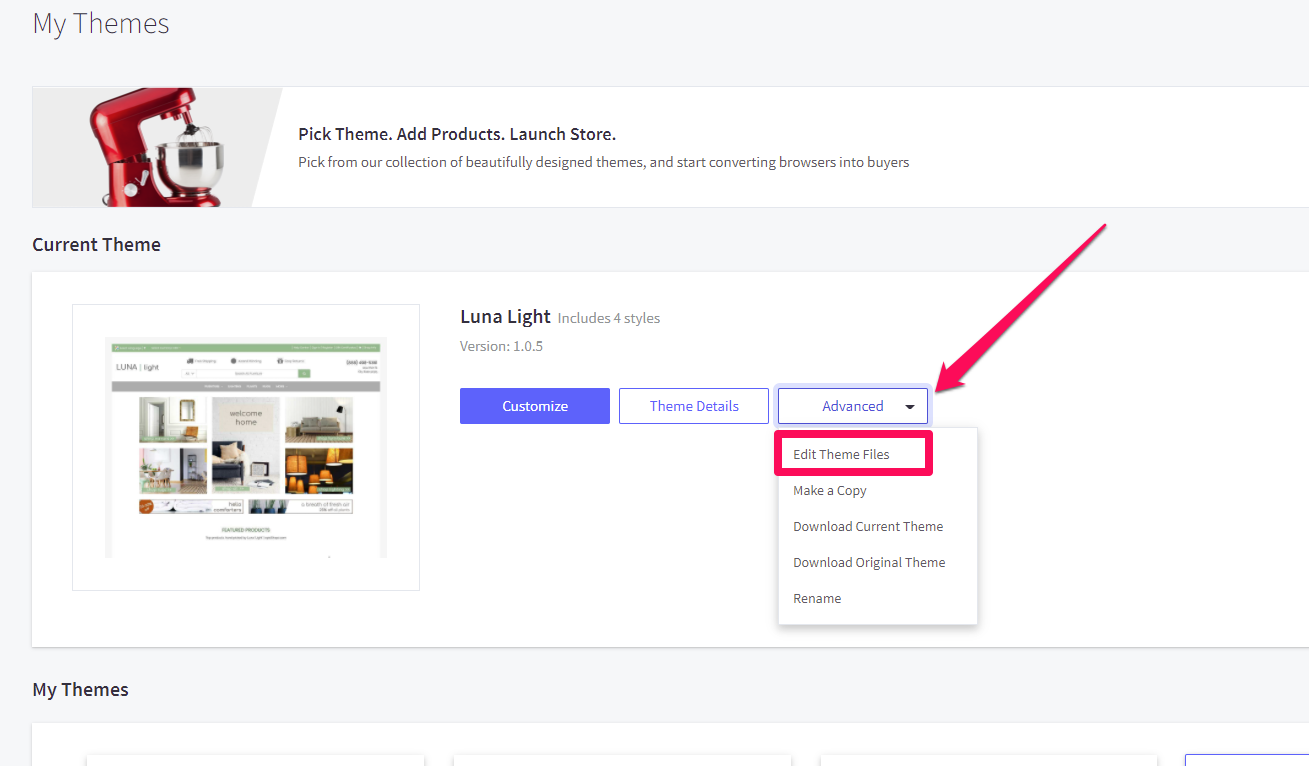
- If the theme is applied, open the Advanced dropdown and select Edit Theme Files.
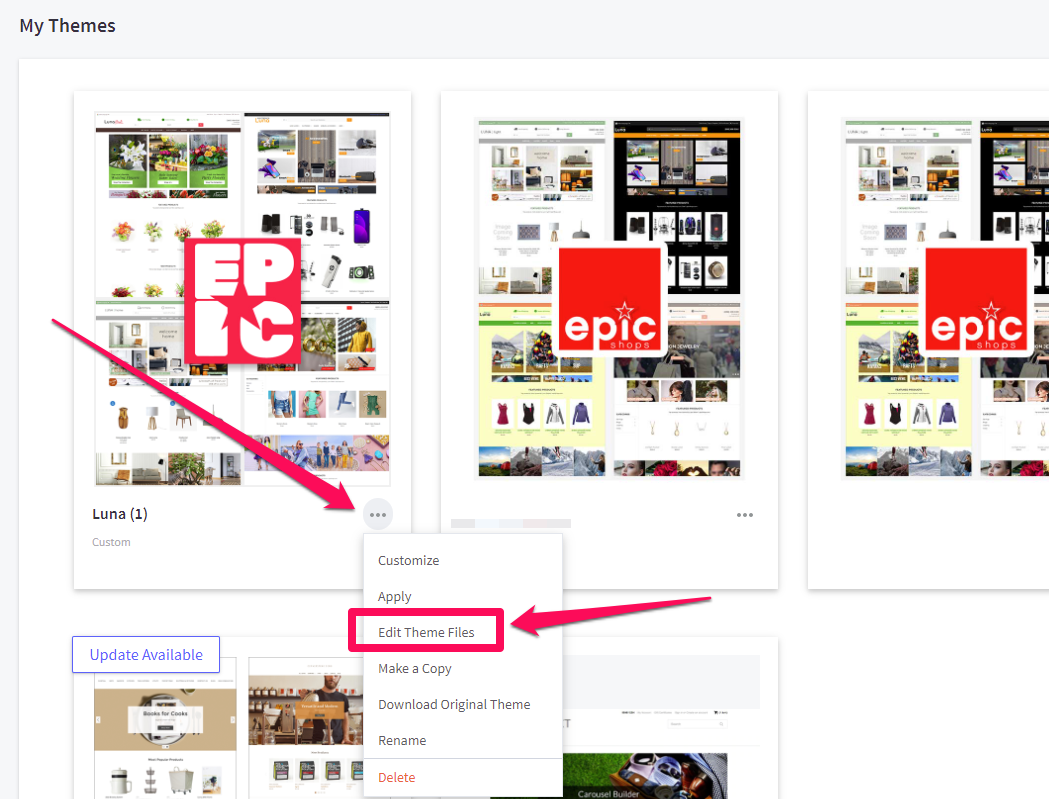
- If the theme is not applied, locate it by scrolling down to the theme library, opening the 3-dot menu, and selecting Edit Theme Files from the dropdown.
In the theme customizer #
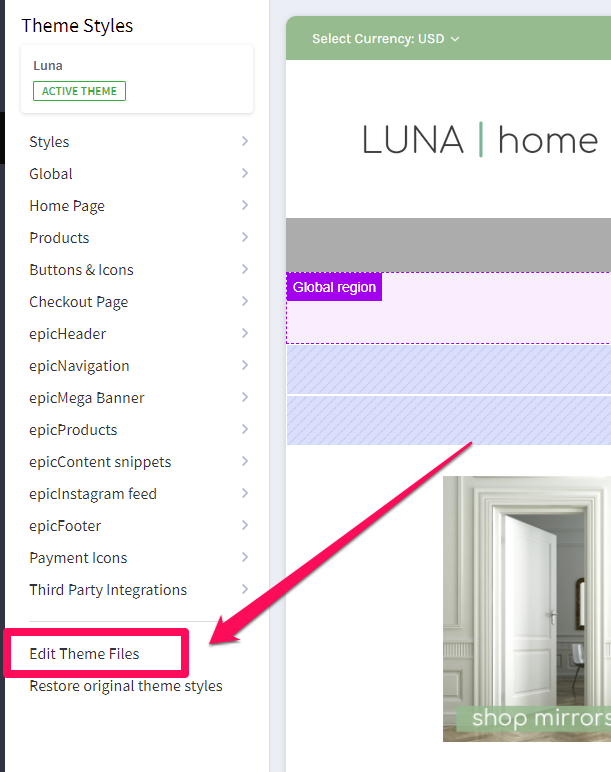
- In the theme customizer, locate and click Edit Theme Files from the bottom left sidebar.
- If you don’t have a backup copy of your theme, you’ll receive a prompt to do so.