
On this page
- How do I turn on / off the Mega Carousel?
- How many images can I have? In what order are my they displayed?
- Can I set the carousel on autoplay?
- How do I change the animation style?
- How do I customize the tiles/buttons?
- How do I change my banner images, links and title?
- What size should my carousel images be?
Note: Mega Carousel is a Solar theme exclusive feature. BigCommerce has similarly named features which you can learn more about here:

How do I turn on / off the Mega Carousel? #
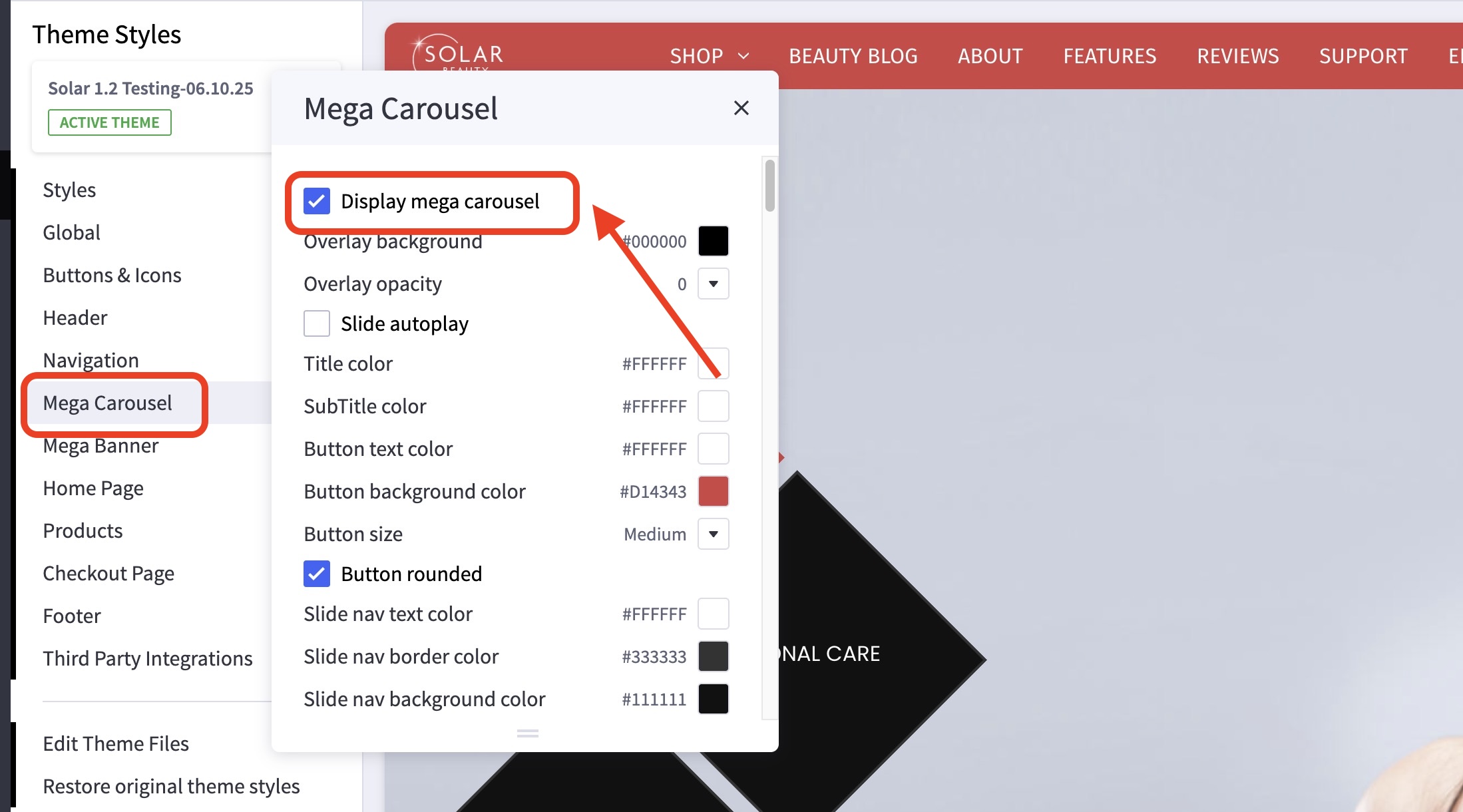
- In the theme customizer, go to the Mega Carousel section.
- Check/Uncheck Display mega carousel to toggle it on/off.
How many images can I have? In what order are my they displayed? #
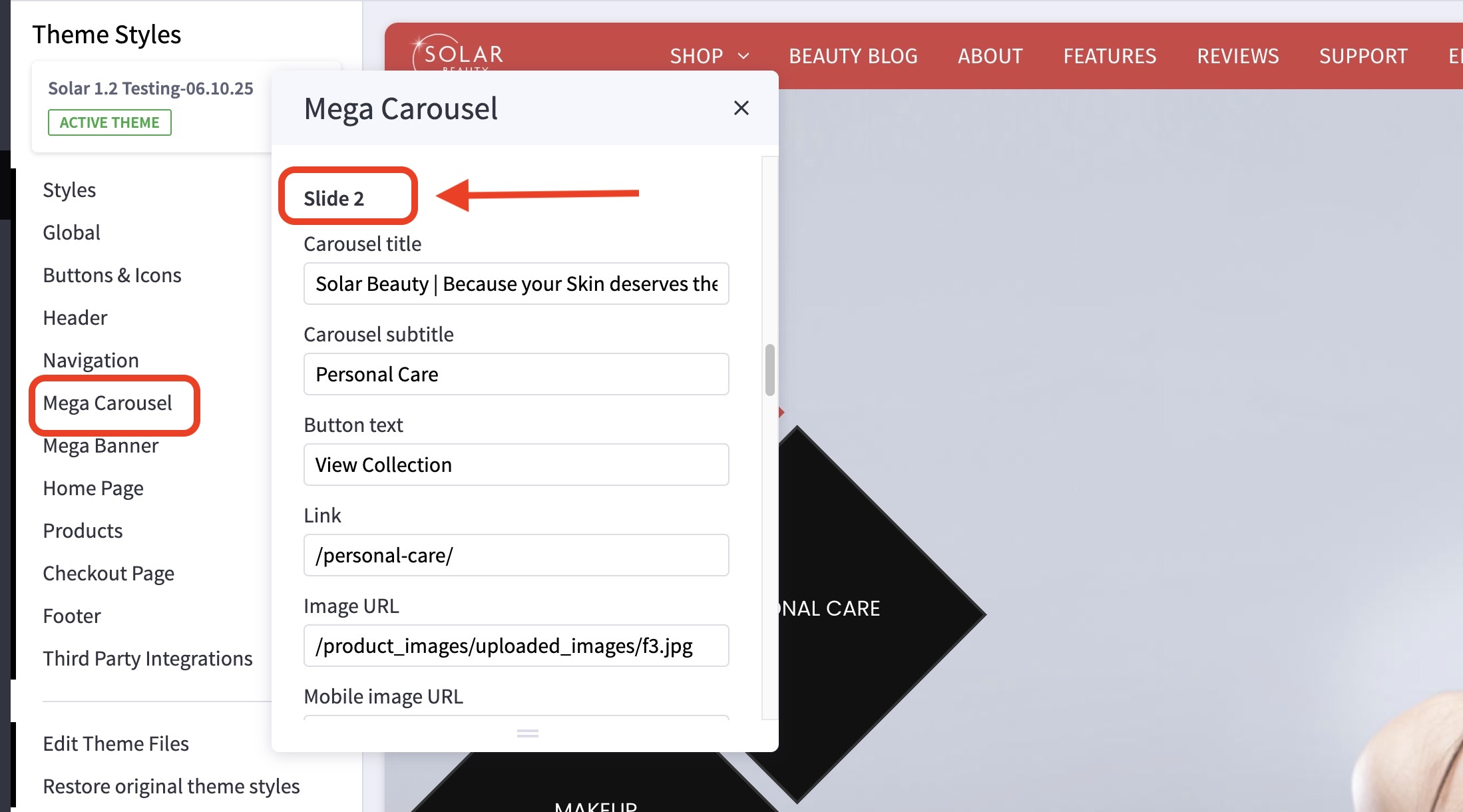
- You can have up to 5 carousel images.
- Banners are numbered left to right, top to bottom. See image below.
Can I set the carousel on autoplay? #
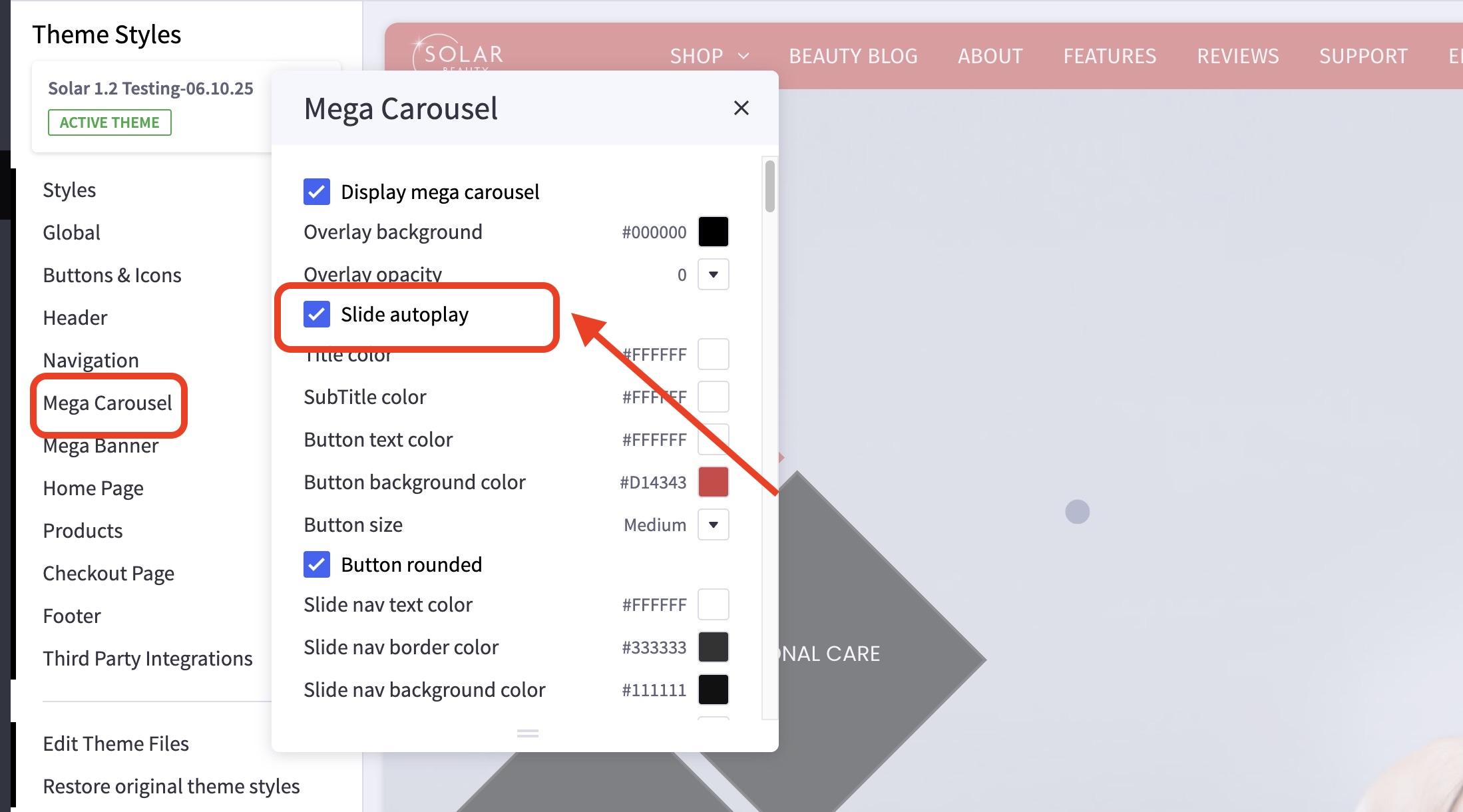
- You absolutely can! To do so, go to the Mega Carousel section.
- Check/Uncheck Slide autoplay to toggle it on/off.
- Autoplay speed is set to change images every 5 seconds and will loop indefinitely.
How do I change the animation style? #
- In the theme customizer, go to the Mega Carousel section.
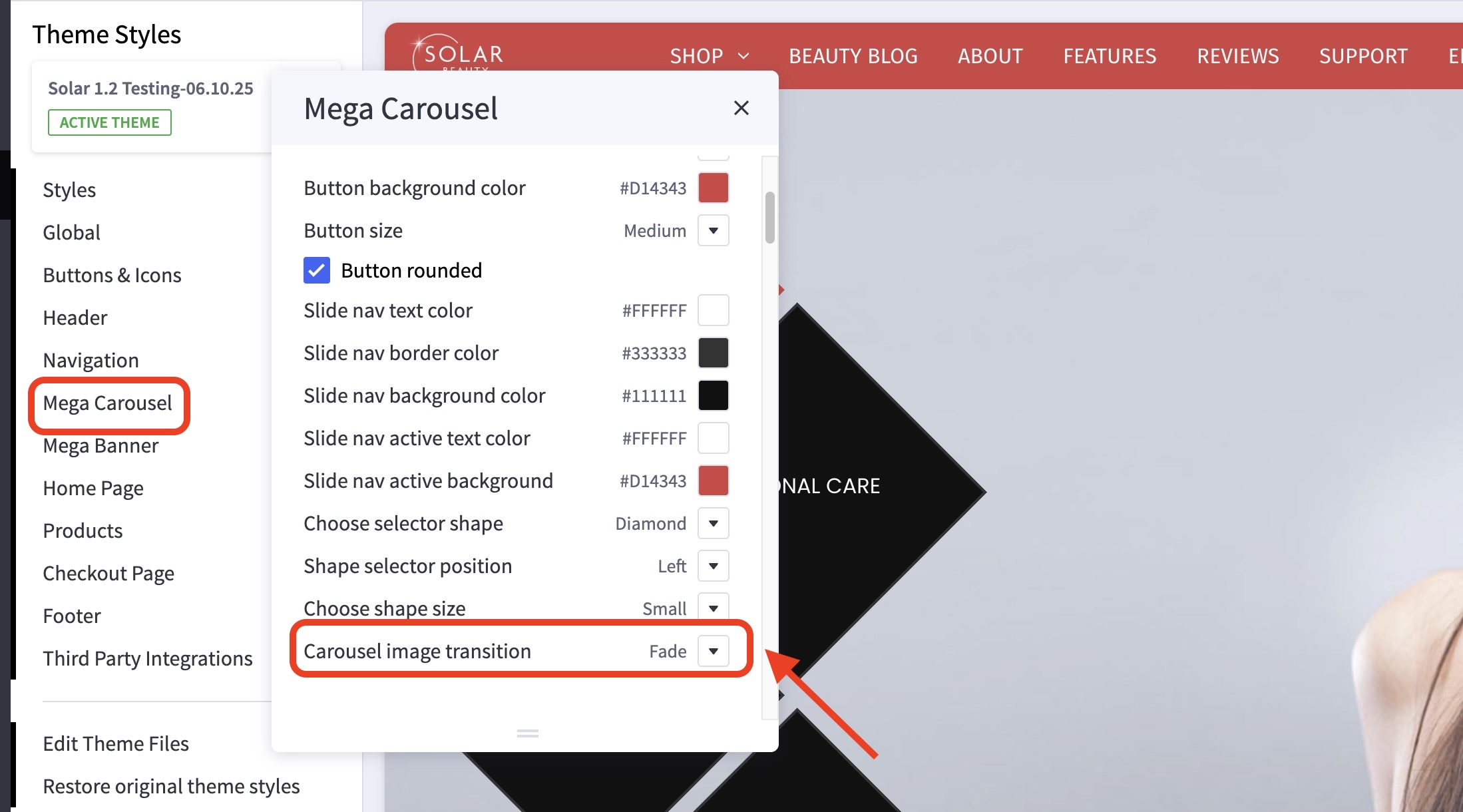
- Scroll down until you see Carousel image transition.
- Click the dropdown on the right and choose from the selection.
- Available transition effects are Zoom, Fade, Blinds, Slice and Push.
How do I customize the tiles/buttons? #
- In the theme customizer, go to the Mega Carousel section.
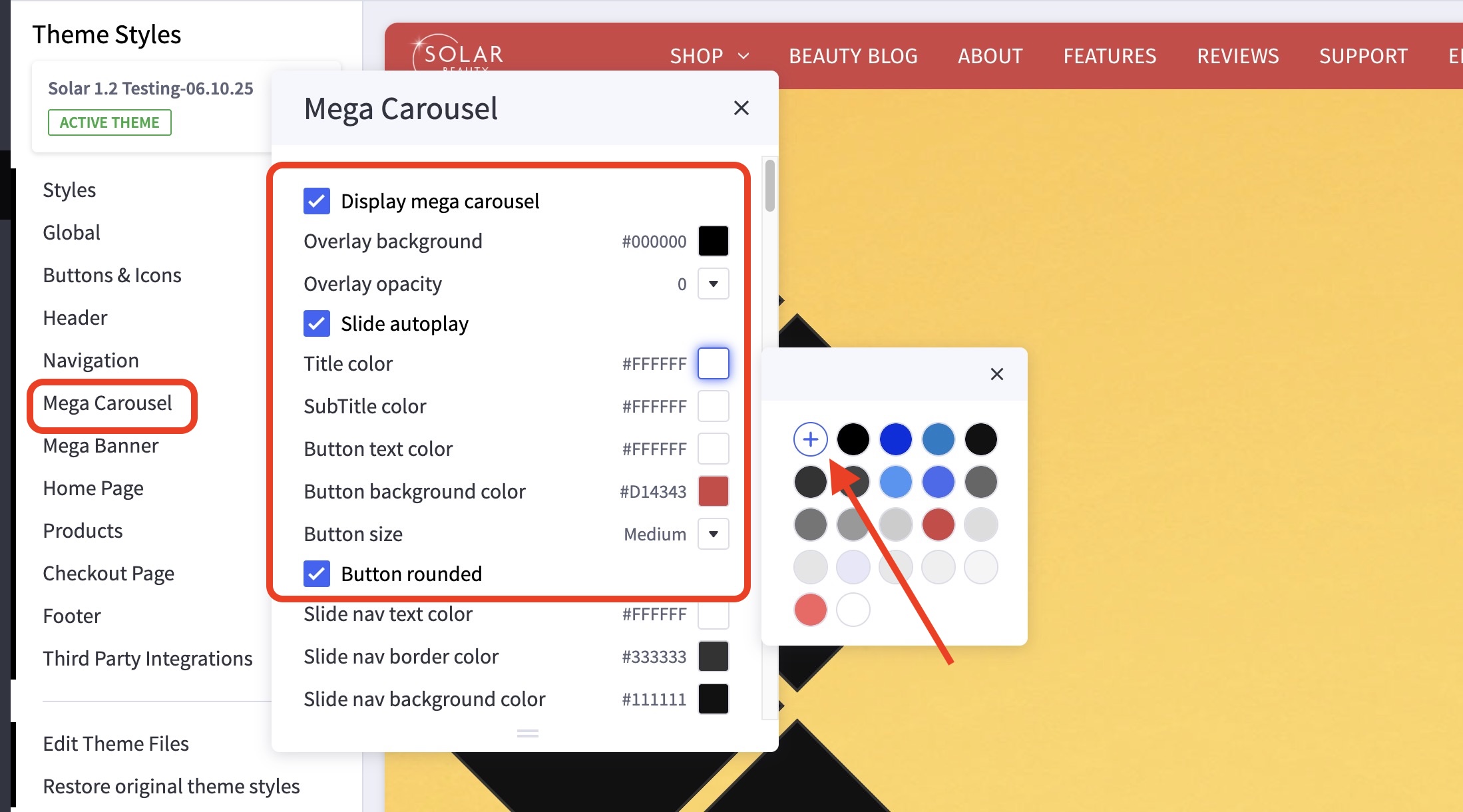
- Tiles and button customizations are just below the Slide Autoplay checkbox.
- For color customizations, click the icon on the right side to pull up the color picker.
You may also click the (+) button to enter a Hex code or use a slider instead.
How do I change my banner images, links and title? #
- In the theme customizer, go to the Mega Carousel section.
- Scroll down to the correct image slot number and change the image URL, link, or alt tag.
- Images are loaded in the BigCommerce image manager using partial filepaths.
Click here to view our guide on how to use Partial Filepaths. - If you don’t want to display a specific banner, leave the Image URL blank.

What size should my carousel images be? #
Recommended dimensions are 1920×1080(16:9 aspect ratio) or better in JPEG format.
For mobile images, we recommend images with 3:5 aspect ratio, on our demo site, we’re using 447x737px images.


