
On this page
Customer feedback and reviews on the home page
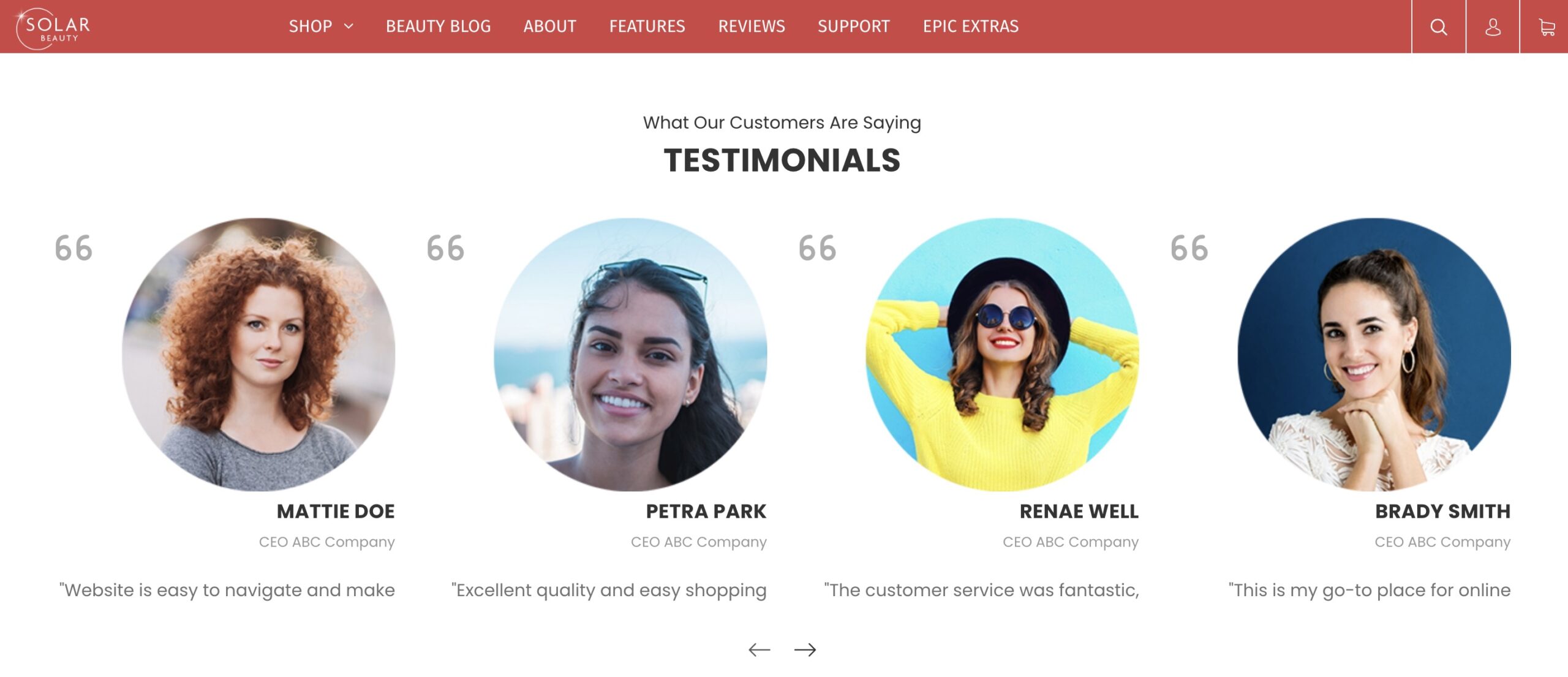
How do I add testimonials? #
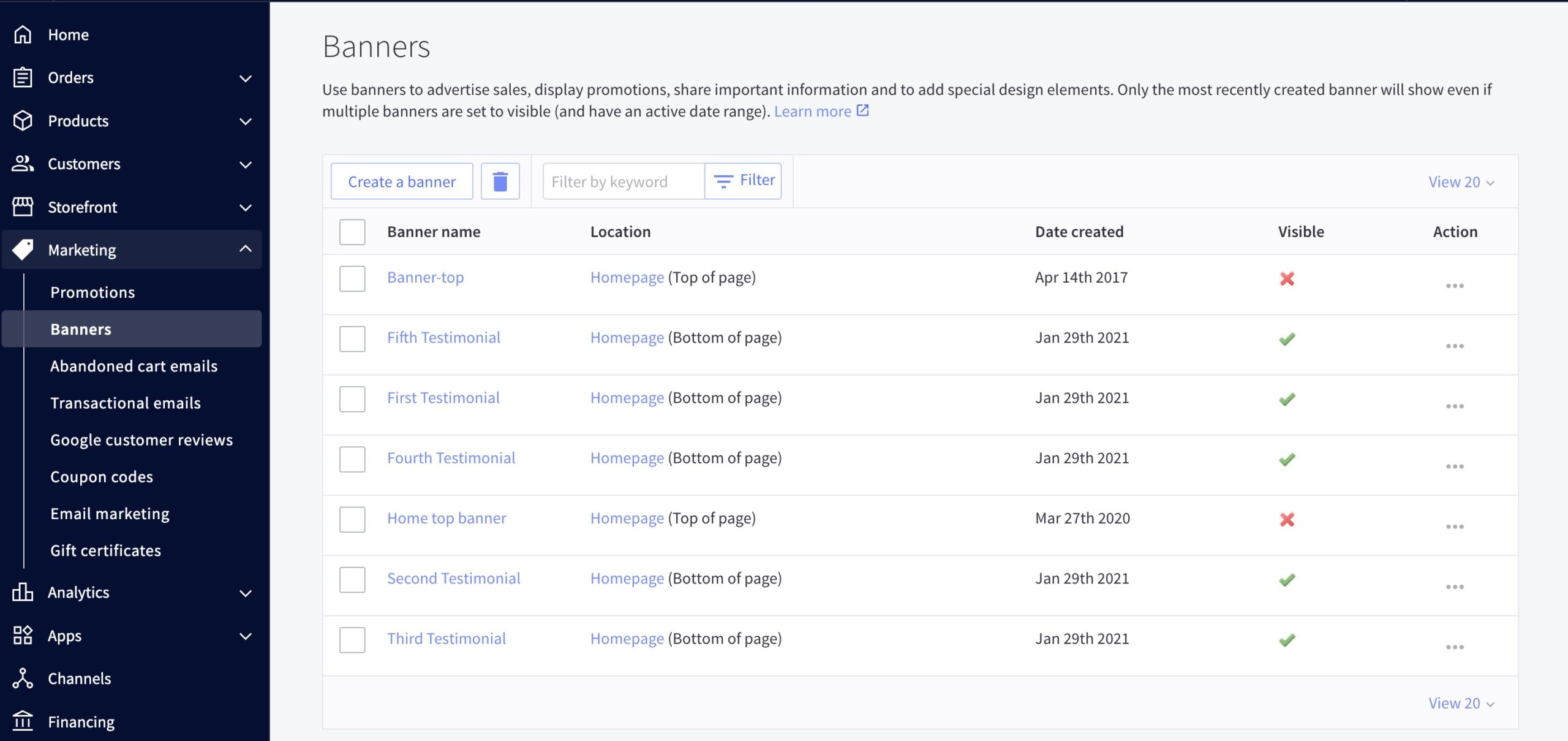
- Testimonials are loaded in the BigCommerce dashboard under the Marketing > Banners.
- The banner content should be the testimonial itself, the banner should be shown on the home page, always displayed, visible, at the bottom of the page.
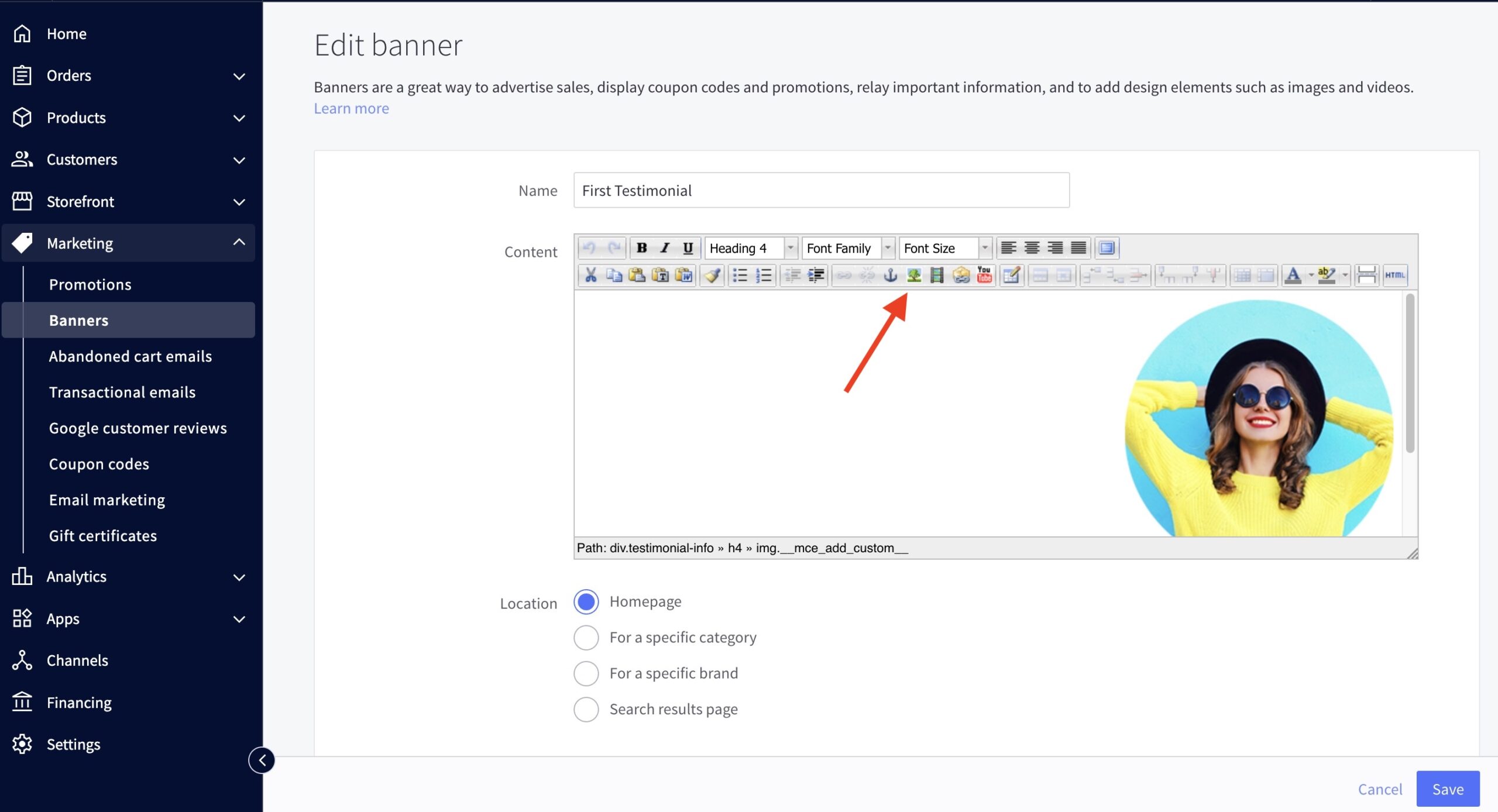
Can I add images to testimonials? #
- Absolutely! You can insert an image into the banner. We do recommend using 255×255 pixel PNG images for this.
Additional design options #
- Banners info require to be enclosed in to use the preloaded style in the theme.
- Click the HTML button on the upper right corner of the banner editor.
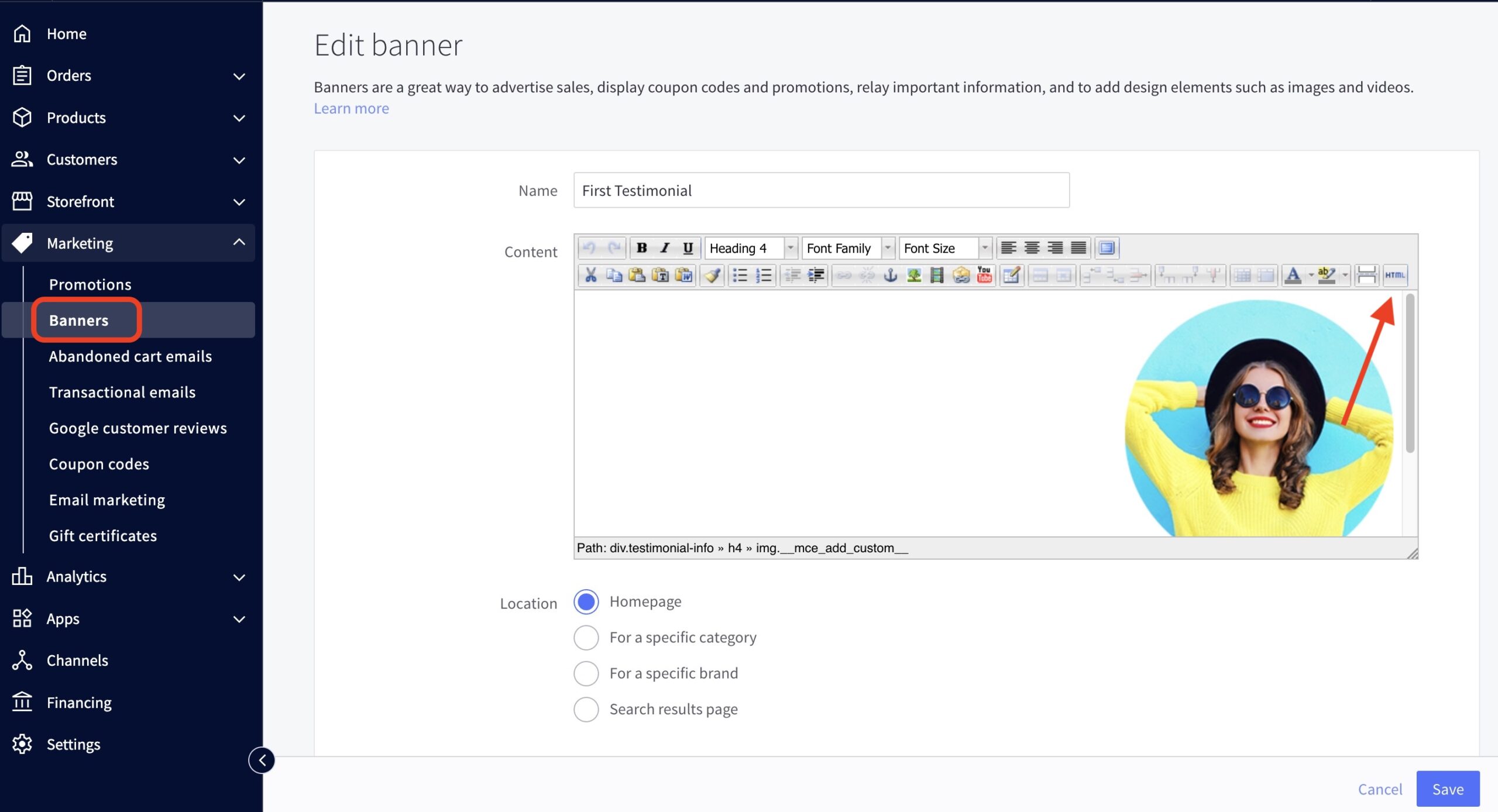
Screenshot - Enclose the image element and heading text
NAME HERE #
COMPANY POSITION
- Enclose the testimonial text
"TESTIMONIAL TEXT HERE."
Example: #
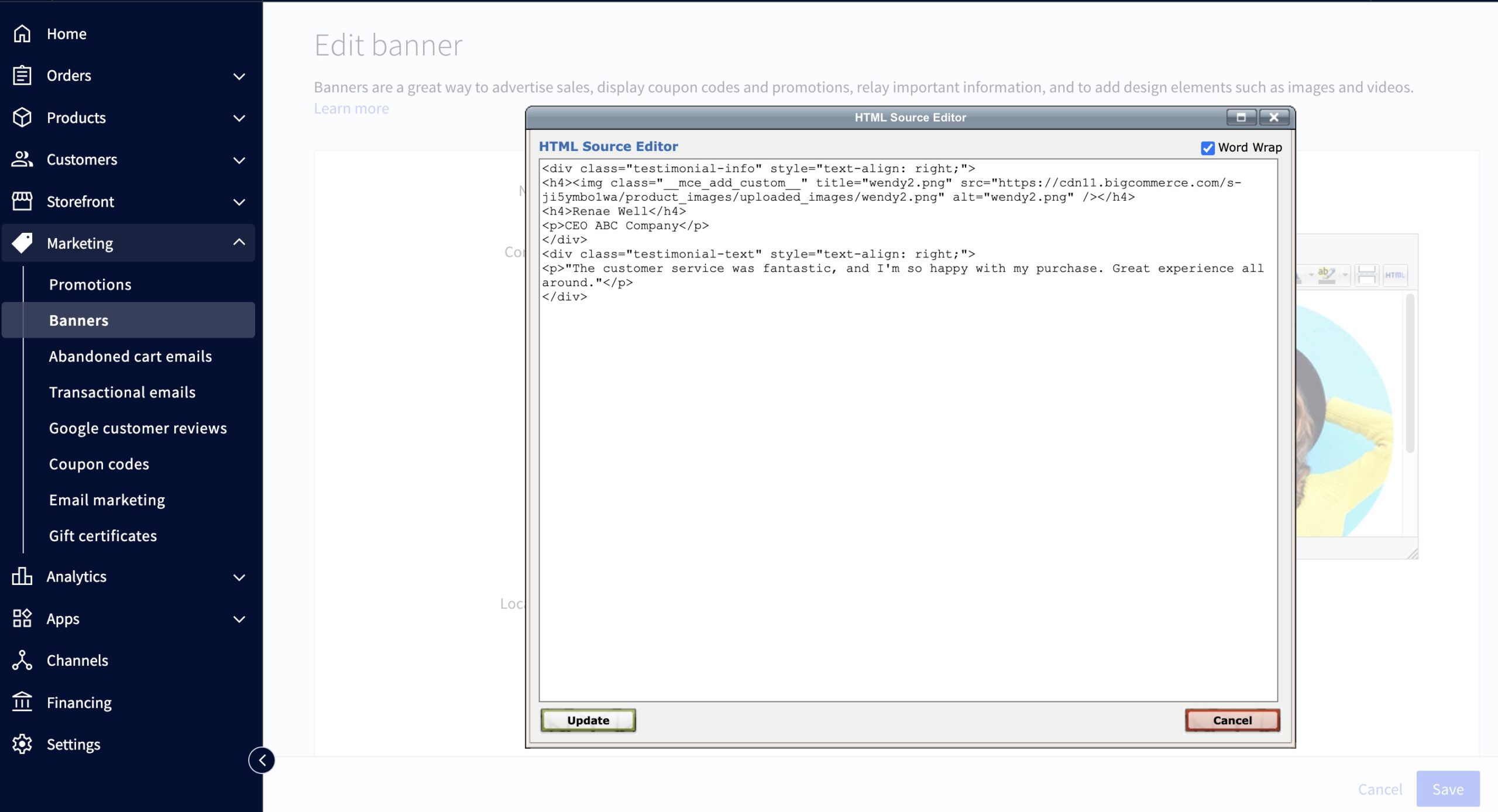
Screenshot
How can I change the background color of the section? #
- In the theme customizer, go to the Home Page section and scroll down to the Testimonial subsection.
- Click the icon on the right side to pull up the color picker.
You may also click the (+) button to enter a Hex code or use a slider instead.
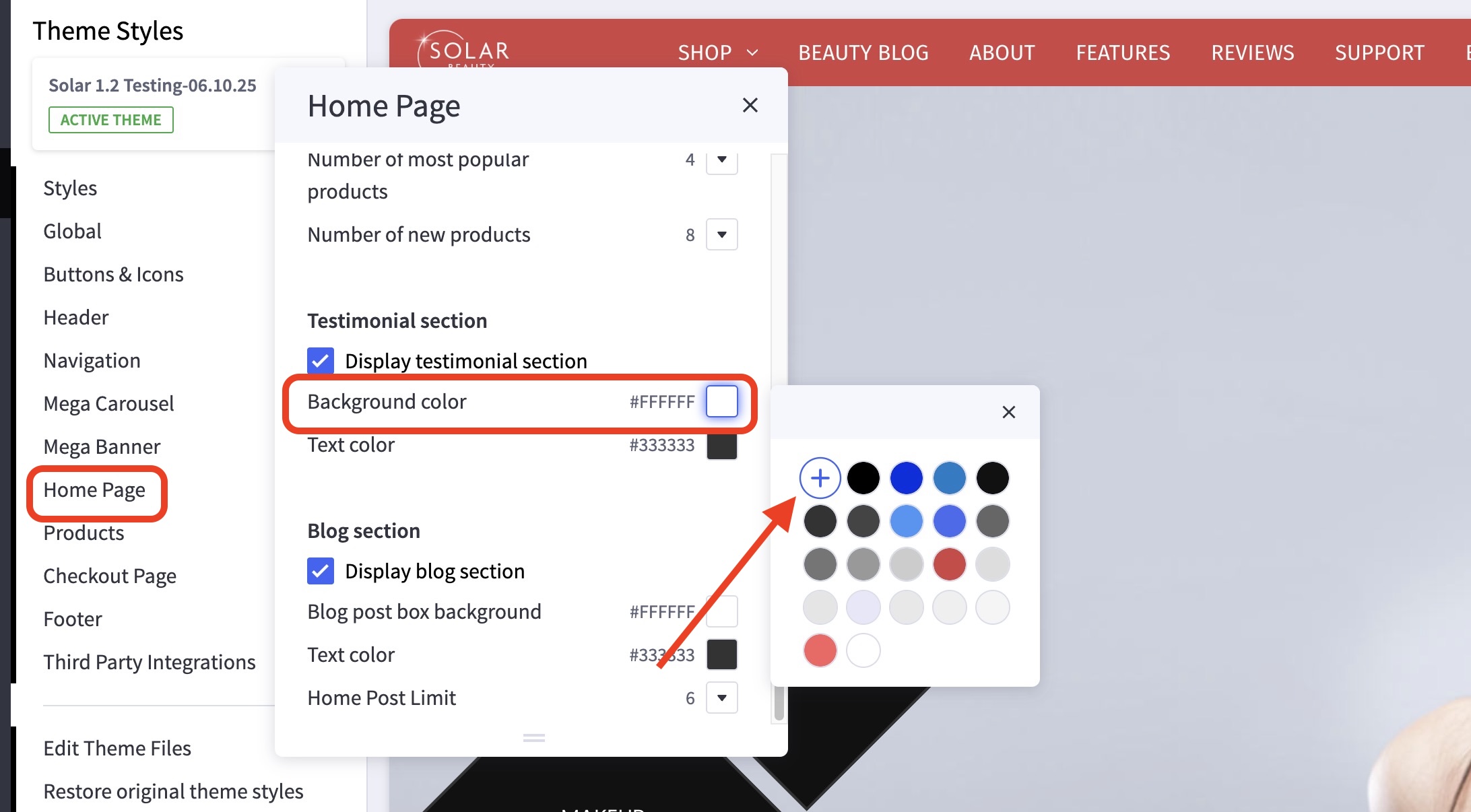
Screenshot
How can I hide the testimonials section? #
- In the theme customizer, go to the Home Page section and scroll down to the Testimonial subsection.
- Uncheck the box for Display testimonial section.
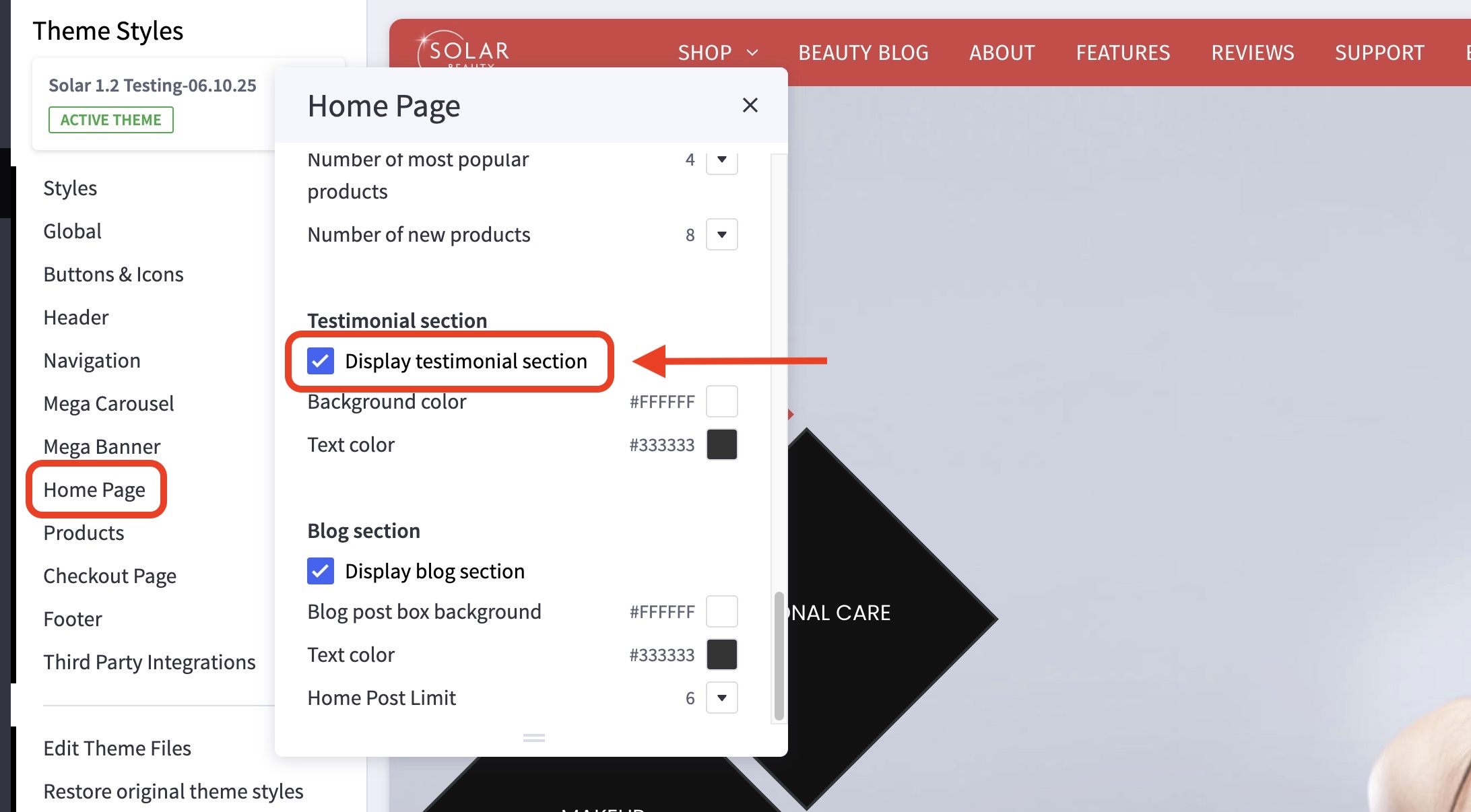
Screenshot


