
Introducing eLocal Presales: Our latest app feature that allows you to display presale messages for specific products on your website, creating anticipation and driving sales like never before. Elevate your product marketing game with this powerful tool!
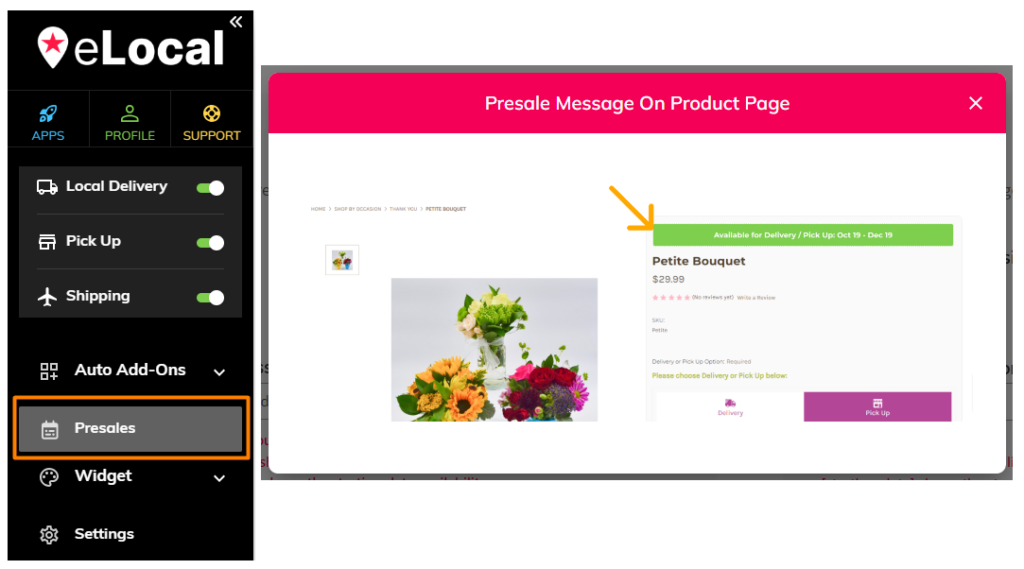
Benefits of using eLocal Presales #
eLocal Presales is your key to boosting sales by creating anticipation around upcoming product launches. With targeted presale messages, you can captivate your audience, generate excitement, and drive increased interest, ultimately translating into higher conversion rates and revenue for your business. Elevate your sales strategy and stay ahead in the competitive e-commerce landscape with eLocal Presales.
How do I set up eLocal Presales? #
- Step 1. Log in to your epicApps dashboard and go to eLocal.
- Step 2. Next, go to Presales and click on Add New button.
- Step 3. Create a Name/Description.
- Step 4. Customize the Display Message and Design.
- Step 5. Choose the products. (Be sure to have the eLocal widget on the selected products)
- Step 6. Select availability date and Save.

Customize your Presale Message and Widget Design #
You can choose where to display your Presale Message: Product Card and/or Product Page.


