
Table of Contents
Section of products displayed on the front page

How do I feature a product? #
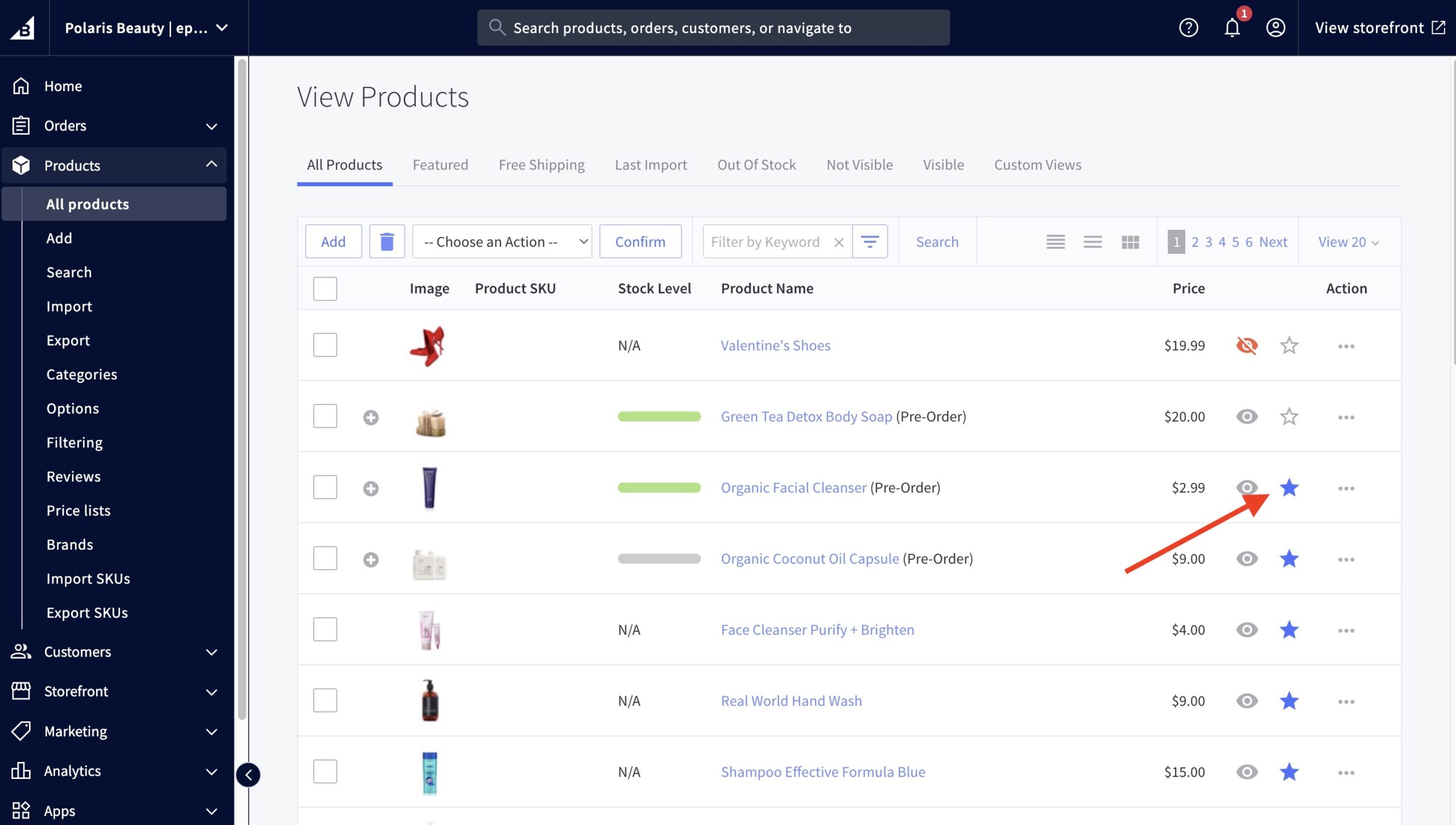
- In the BigCommerce dashboard, go to Products from the menu on the left.
- Find the product you’d like to feature from the list or use the search bar in the top left corner.
- Click the blue star next to the product name to toggle featured status.
How do I change the number of products displayed? #
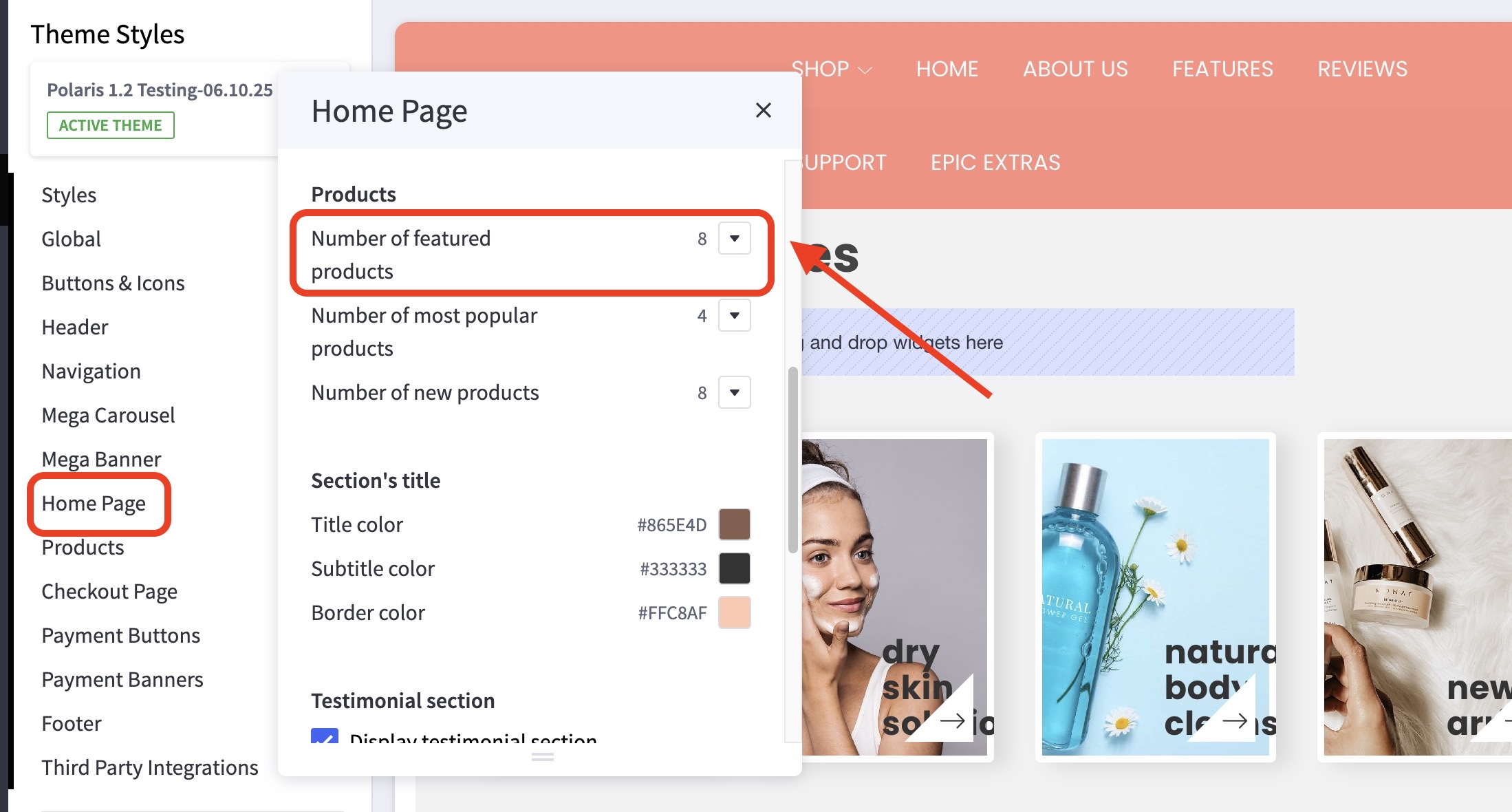
- In the theme customizer, go to the Home Page section.
- Scroll down to the Products subsection.
- Select how many products you’d like to feature from the dropdown menu.
How are popular products selected? #
These are automatically chosen based on your sales data, they cannot be manually selected.
If you’re intending to display only certain products, check out Featured Products.
How are new products selected? #
Similar to how popular products are selected, these are automatically chosen – based on your most recently added products, they also cannot be manually selected.


