
Table of Contents
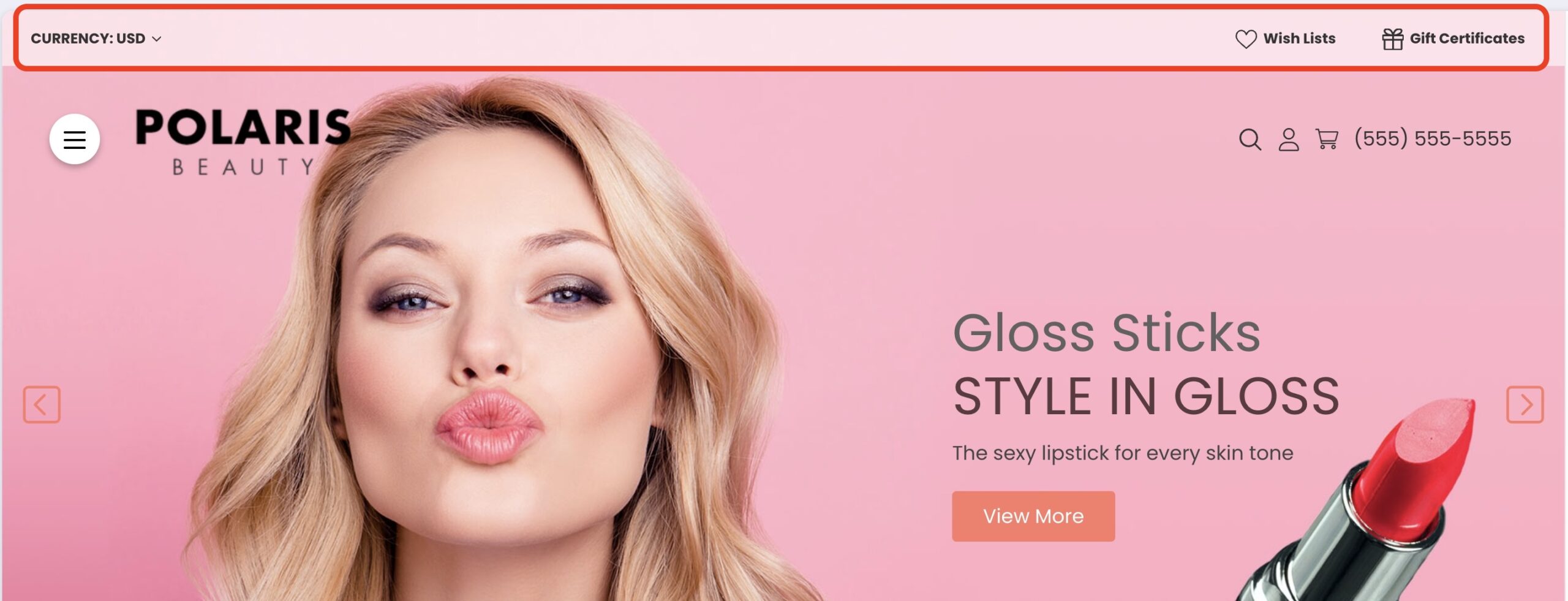
Top narrow bar above the main header
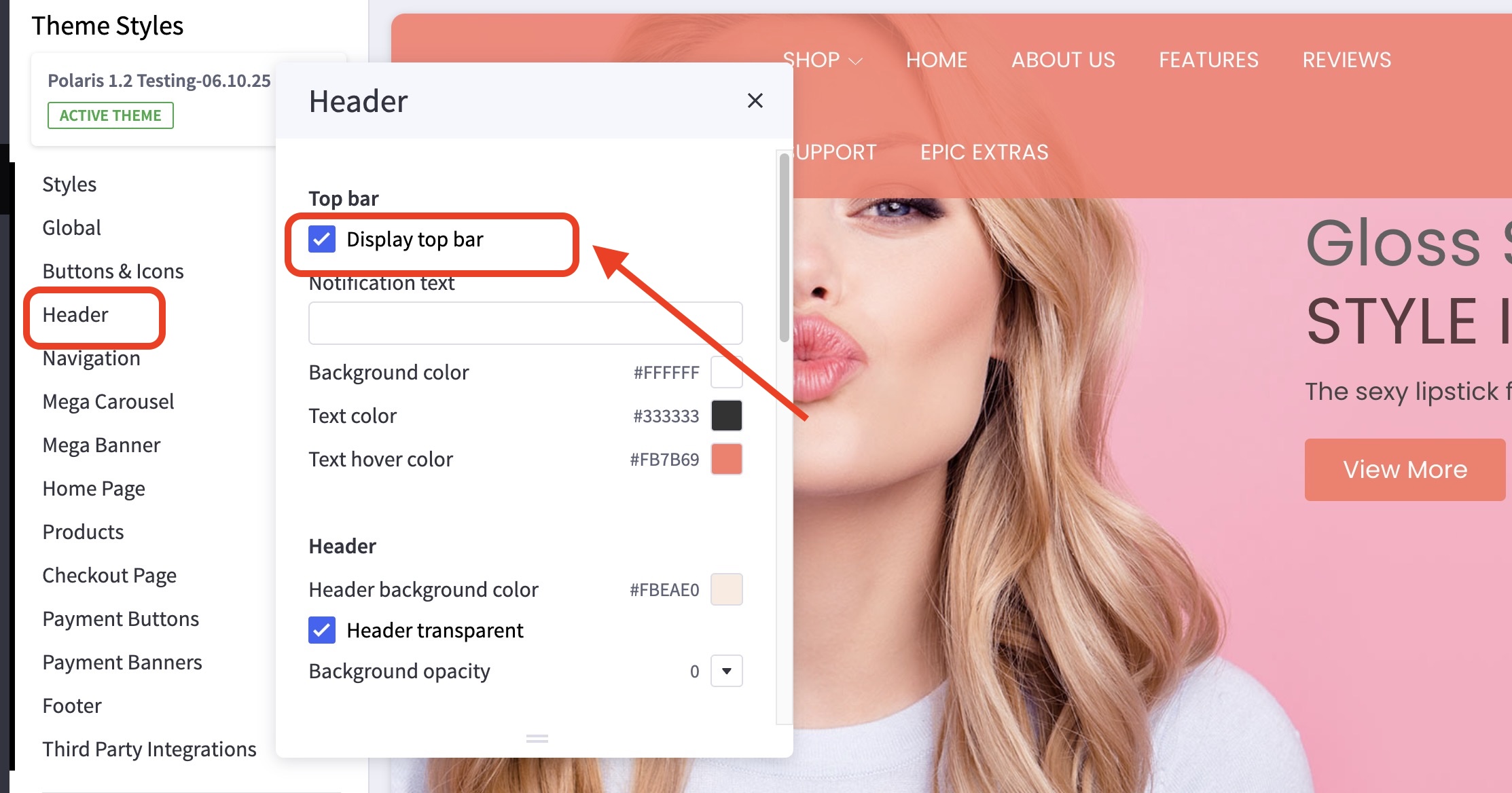
How do I turn on/off the Top bar? #
- In the theme customizer, go to the Header section.
- Check the box Display top bar.
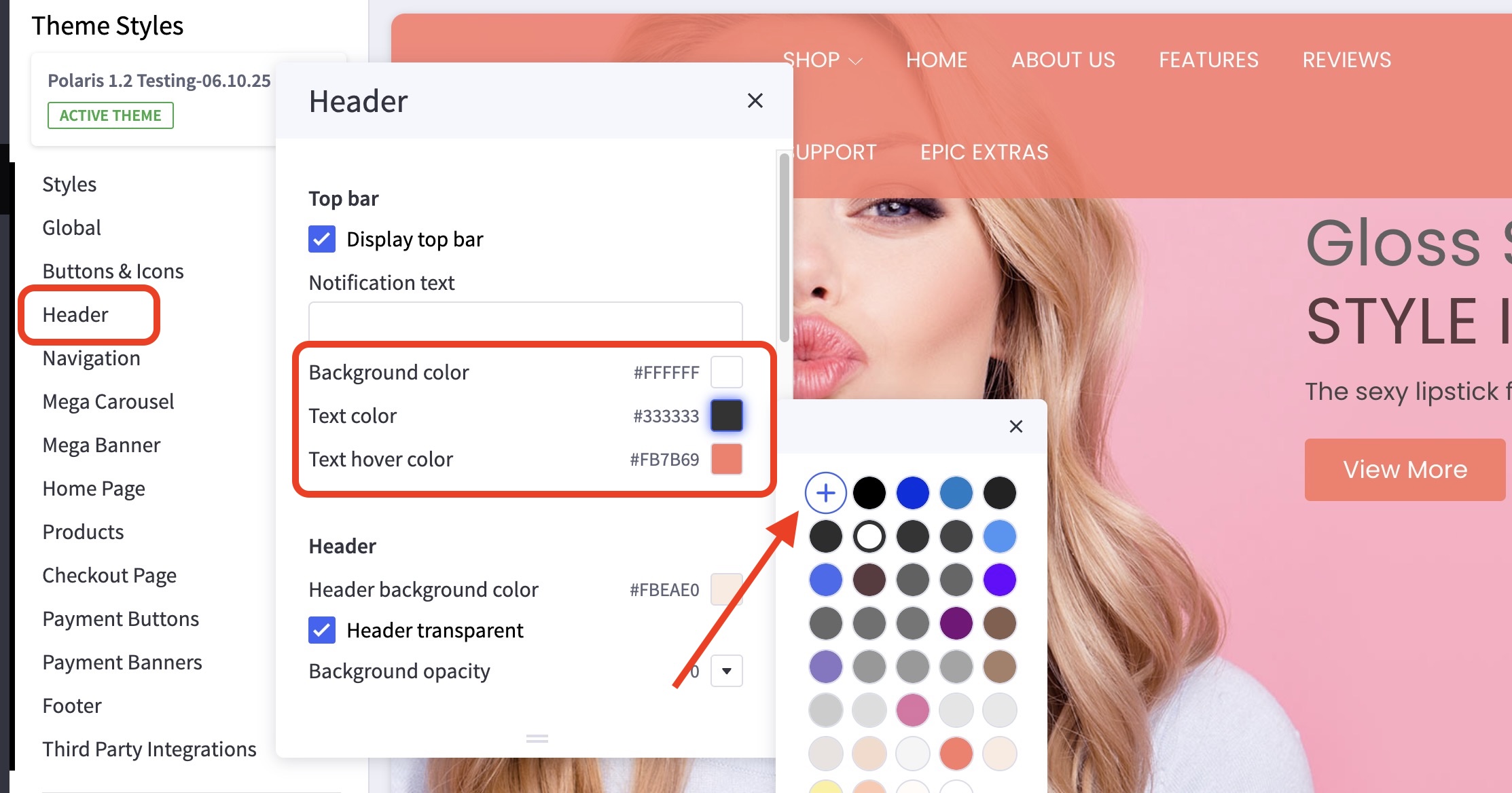
How can I change the colors, font, and styling of the top bar? #
- In the theme customizer, go to the Header section
- Click the color palette icon to select from the list of options.
- You can click the (+) button to type in a Hex code or to use the slider.
How do I enable different currencies? #
- From the BigCommerce dashboard, go to Settings > Currencies.
- Manage what currencies you’d like to display. Click here to learn more.


