On this page
Customer feedback and reviews on the home page
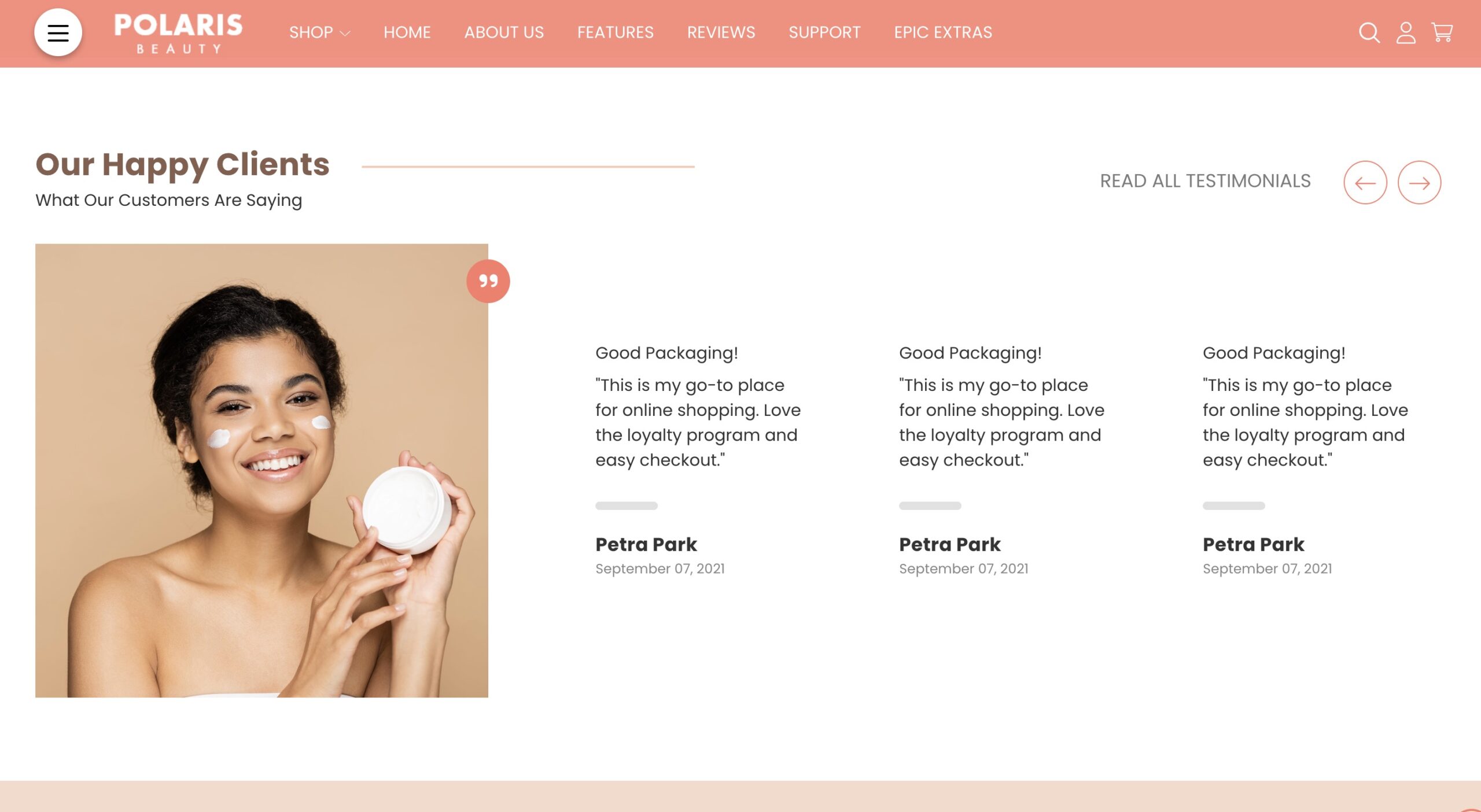
How do I add testimonials? #
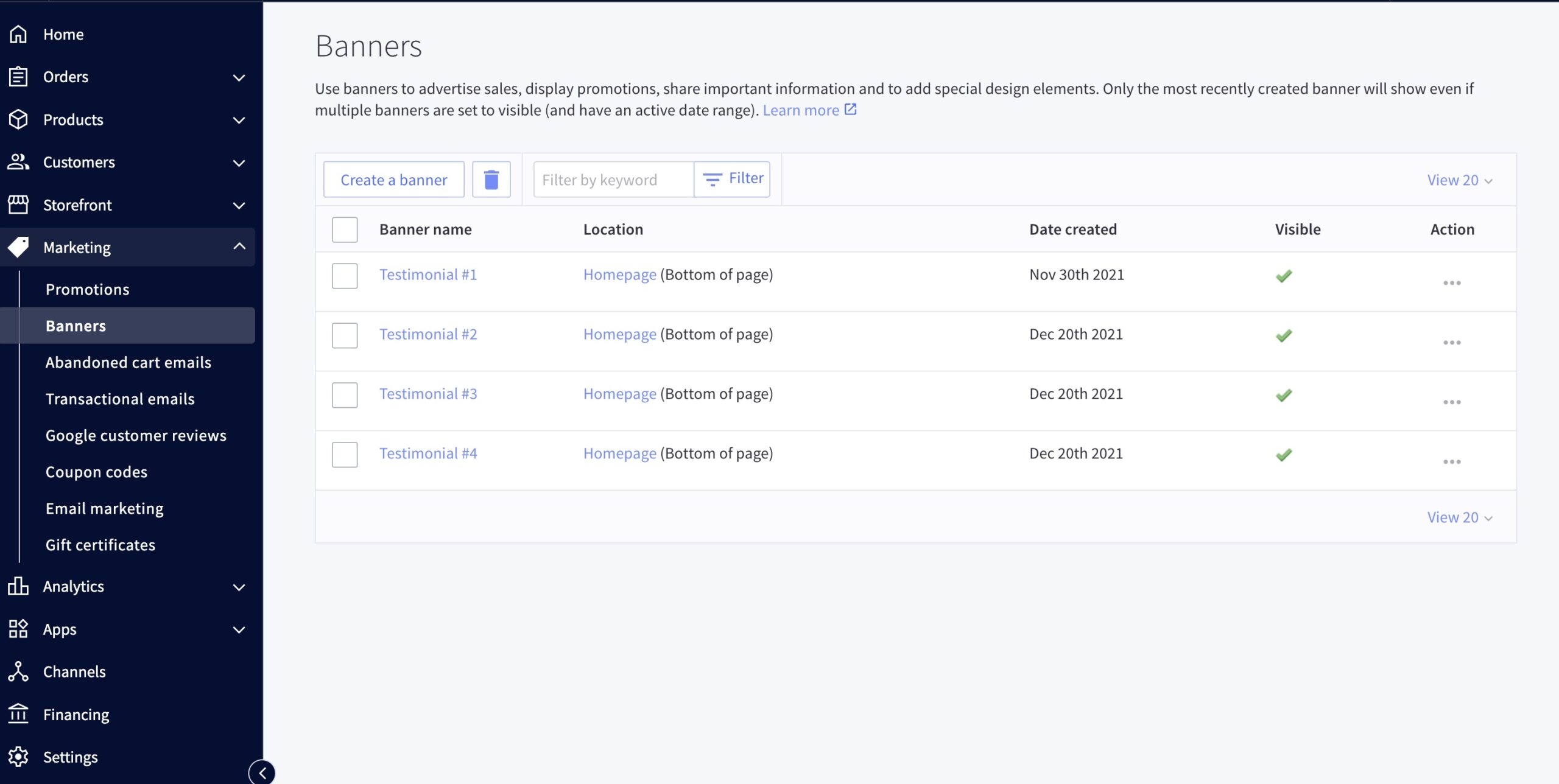
- Testimonials are loaded in the BigCommerce dashboard under Marketing > Banners.
- The banner content should be the testimonial itself, the banner should be shown on the home page, always displayed, visible, at the bottom of the page.
Can I change the image for the testimonials? #
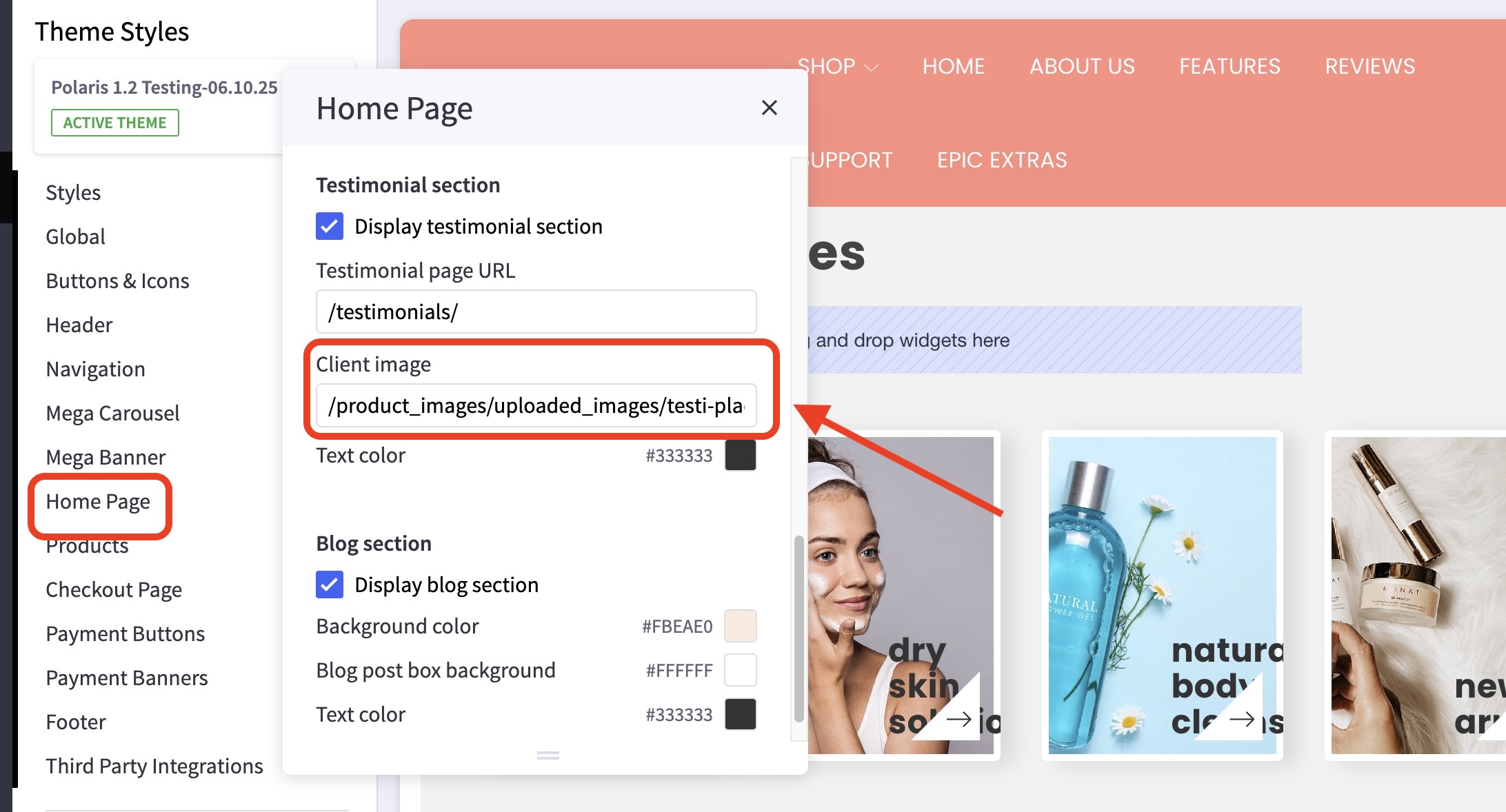
- Absolutely! You can insert an image into the banner. We do recommend using 590×590 pixel PNG/JPG images for this.
First, you’ll need to upload the image you would like to use inside the Image Manager, which can be found inside the Storefront setting/option. Once done, make sure to copy the name of the image you’ve uploaded and use it inside the Theme Customizer.
How can I hide the testimonials section? #
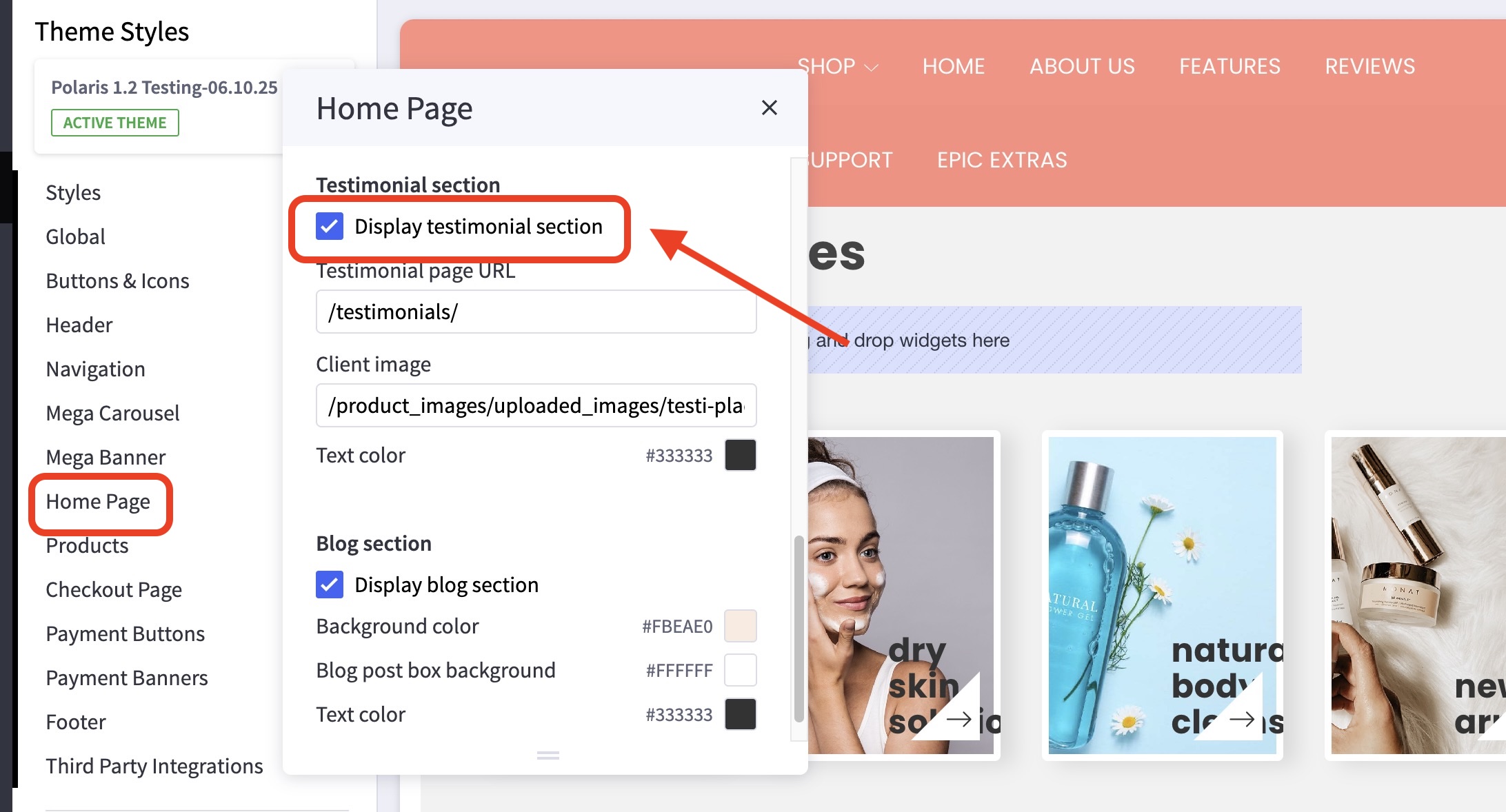
- In the theme customizer, go to the Home Page section and scroll down to the Testimonial subsection.
- Uncheck the box for the Display testimonial section.