On this page
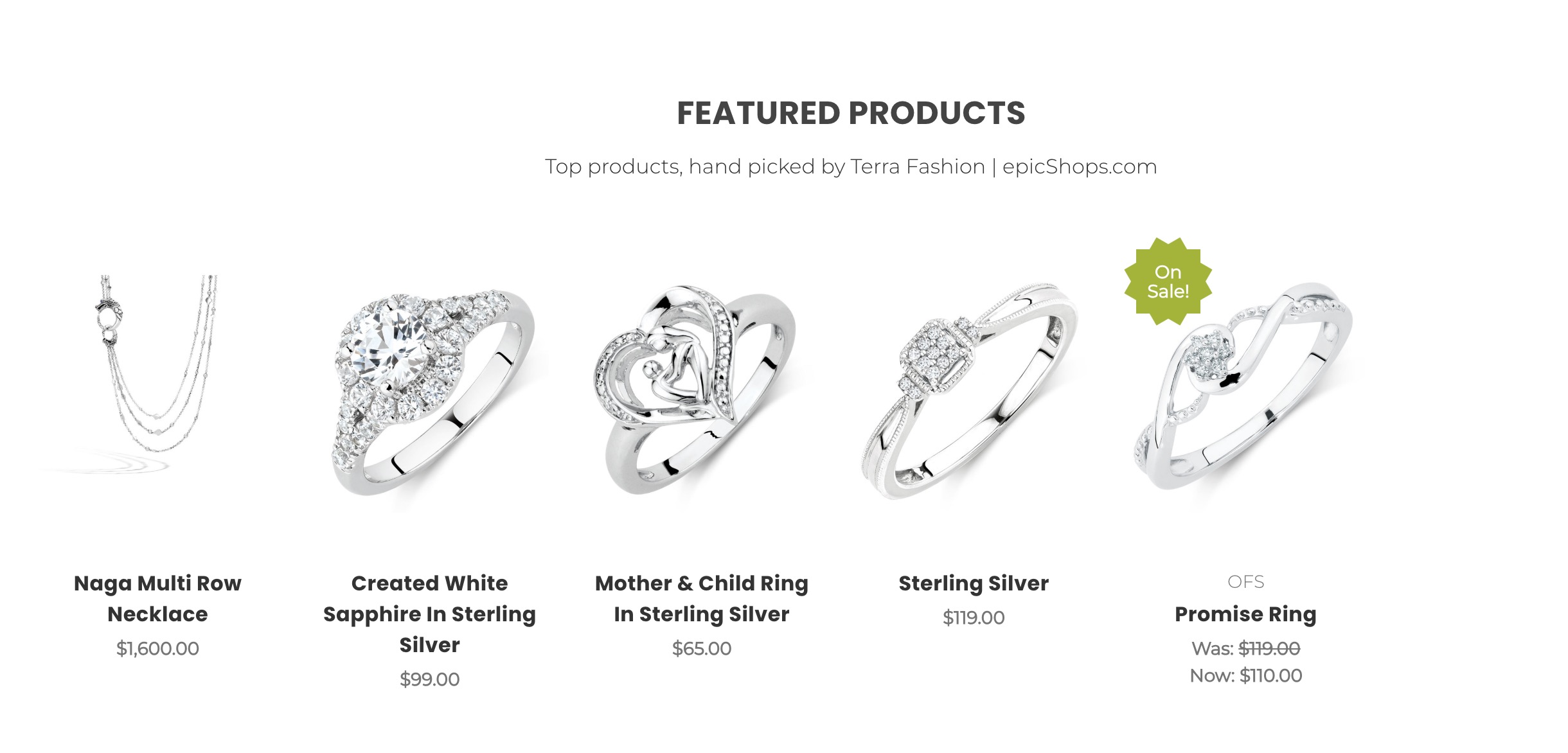
Section of products displayed on the front page
How do I feature a product? #
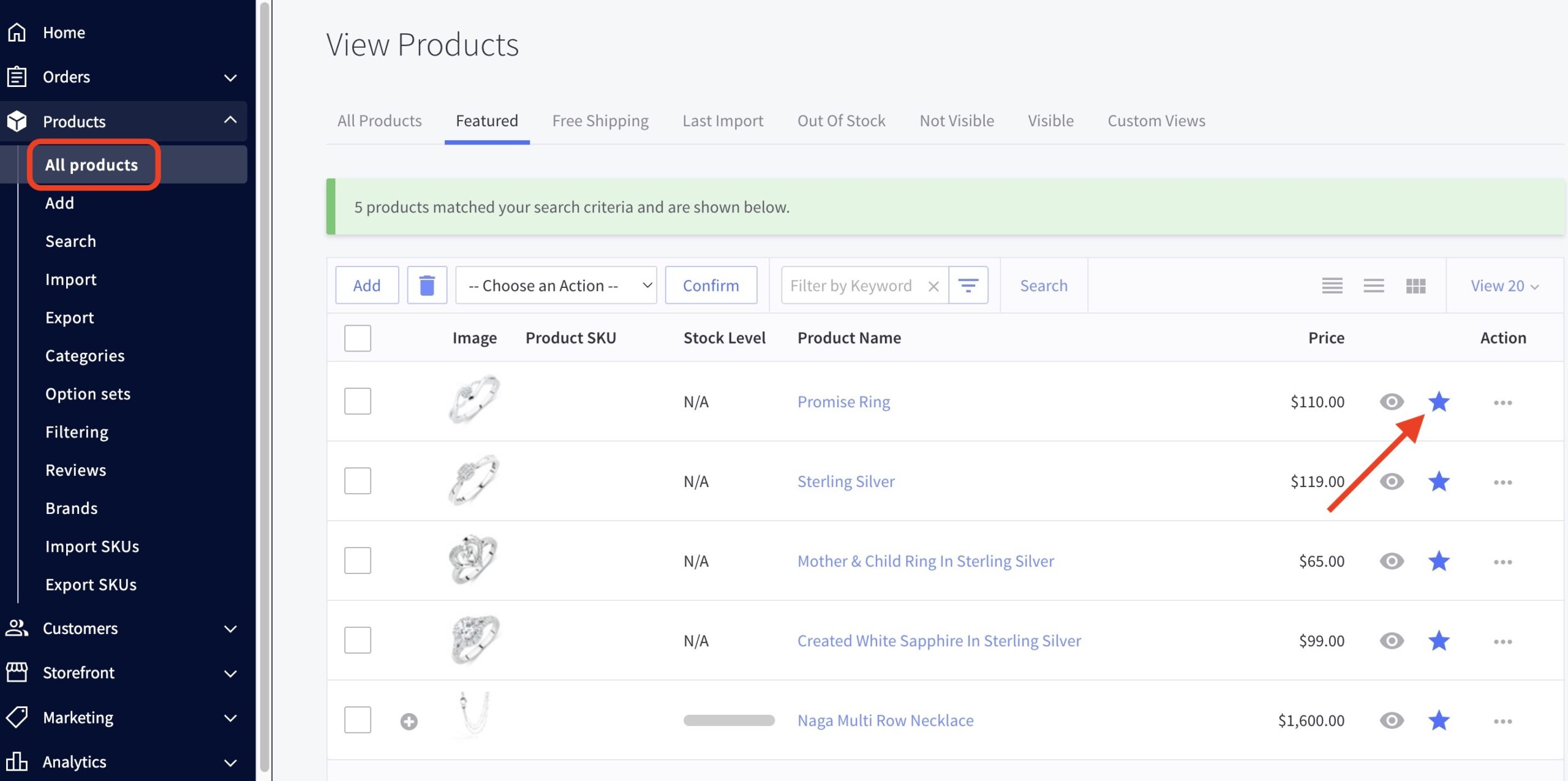
- In the BigCommerce dashboard, go to Products from the menu on the left.
- Find the product you’d like to feature from the list or use the search bar in the top left corner.
- Click the star next to the product name to toggle the featured status.
How do I change the number of featured products displayed? #
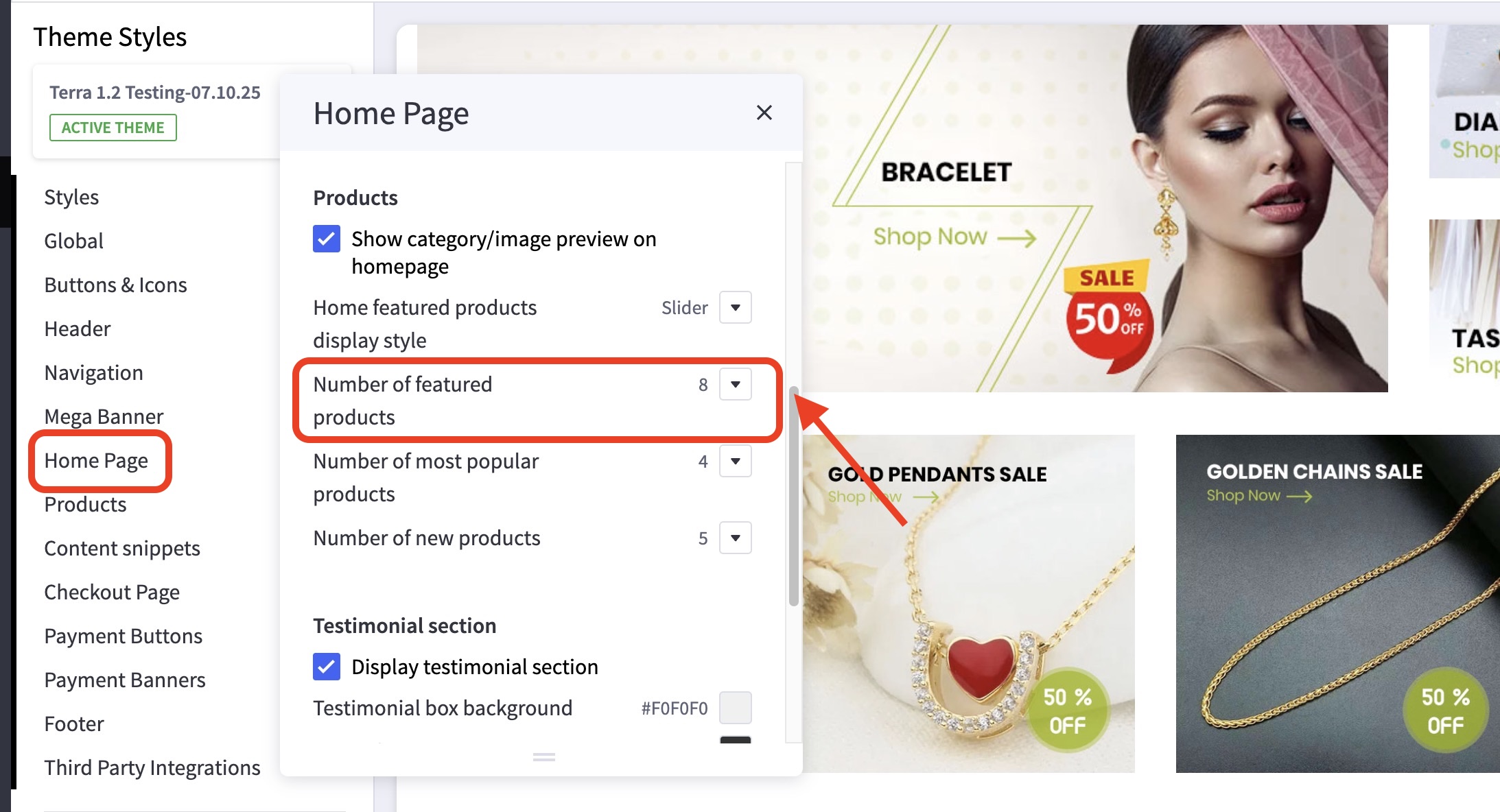
- In the theme customizer, under the Home Page section scroll down to the Products subsection.
- Select how many featured products you’d like to feature from the dropdown menu.
How do I make the featured products into a grid/slider? #
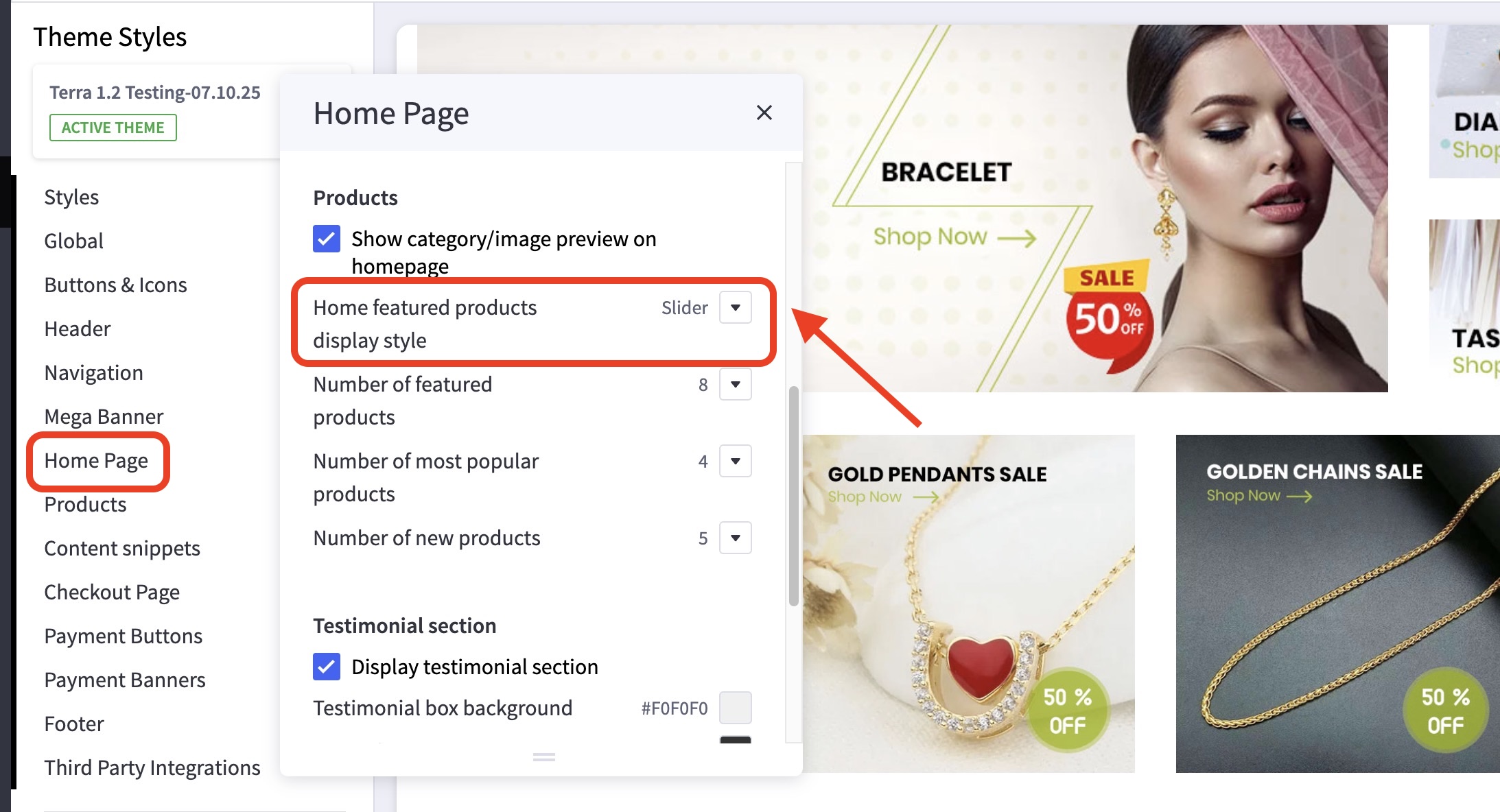
- In the theme customizer, under the Home Page section scroll down to the Products subsection.
- From the Home featured products display style option, select slider from the dropdown menu.