
Table of Contents
All about the search bar
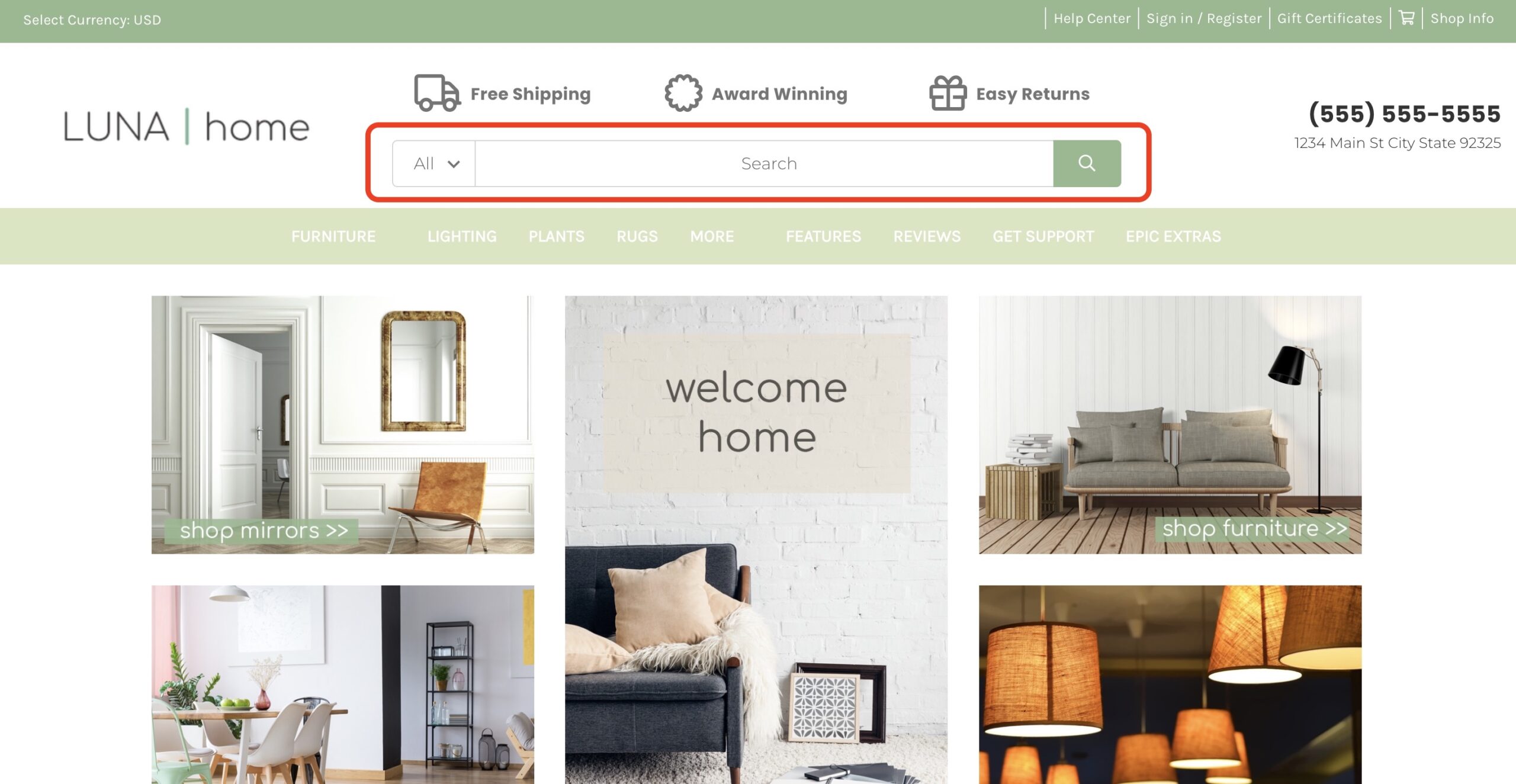
Can I disable the search bar? #
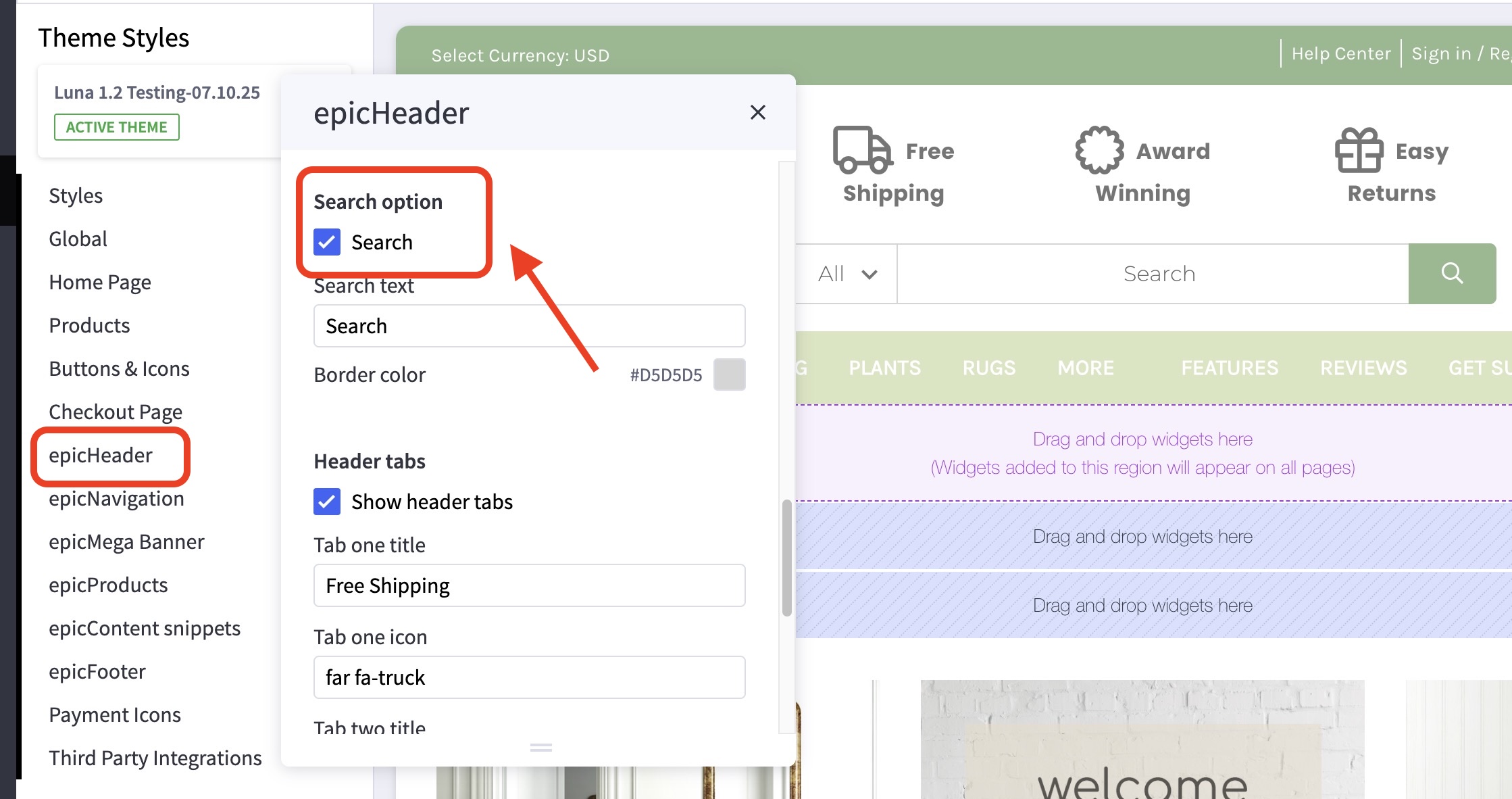
- In the theme customizer, go to the epicHeader section.
- Scroll down to the Search option subsection.
- Toggle the checkbox labelled Search.
How can I change the text that appears within the search bar? #
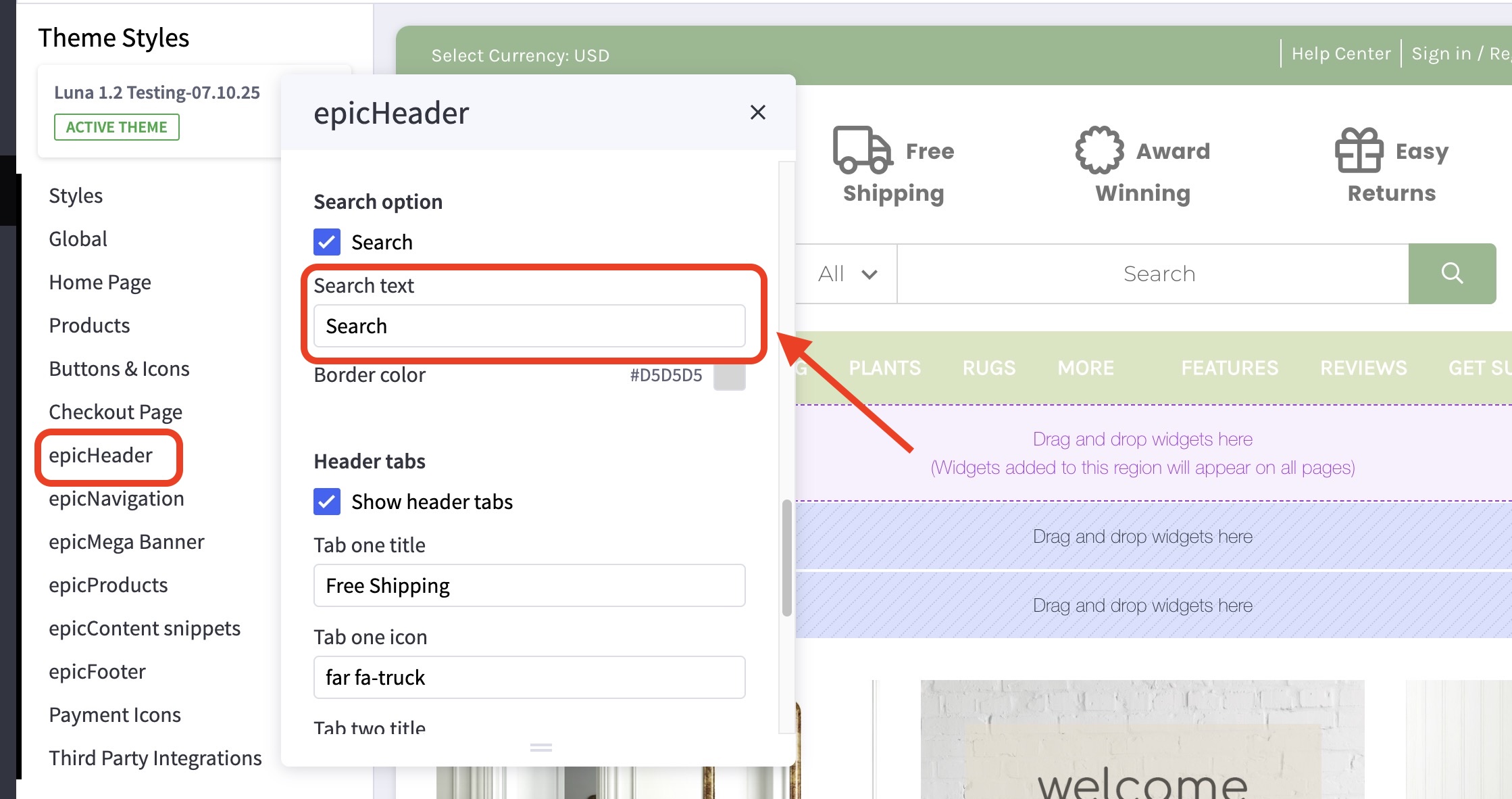
- In the theme customizer, go to the epicHeader section.
- Scroll down to the Search option subsection
- Input your custom search bar text in the provided field.
Can I change the dropdown menu in the search bar? #
No, this is generated automatically based on your top-level product categories.
What colors can I change? #
- The border color can be changed in the theme customizer, go to the epicHeader section.
- Scroll down to the Search option subsection and change the color here.
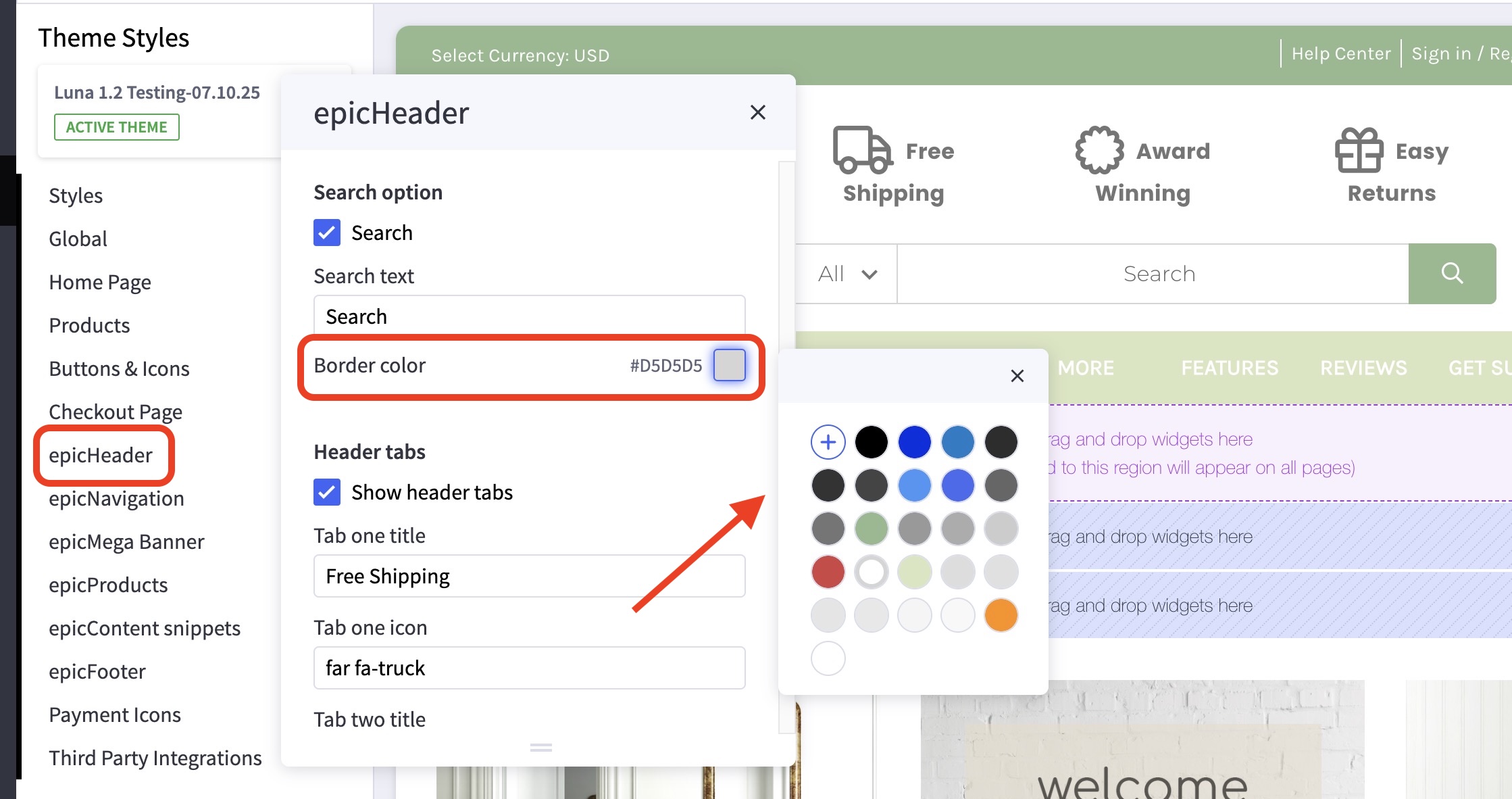
The text color is your default text color, and the search button itself is your Call to Action color.


