On this page
Your latest blog posts, displayed on the home page

How can I hide the Blog section? #
The ability to disable/hide the Blog Section in the theme editor is currently being worked on.
In the meantime, please follow the steps below:
- In your BigCommerce dashboard, go to Storefront > Script Manager
- Next, click Create a Script on the upper right corner.
- From here, fill in the Name of script and Description fields.
Set each section exactly as follows: #
- Location on page to Head.
- Select pages where script will be added to All Pages.
- Script category to Essential.
- Script type to Script.
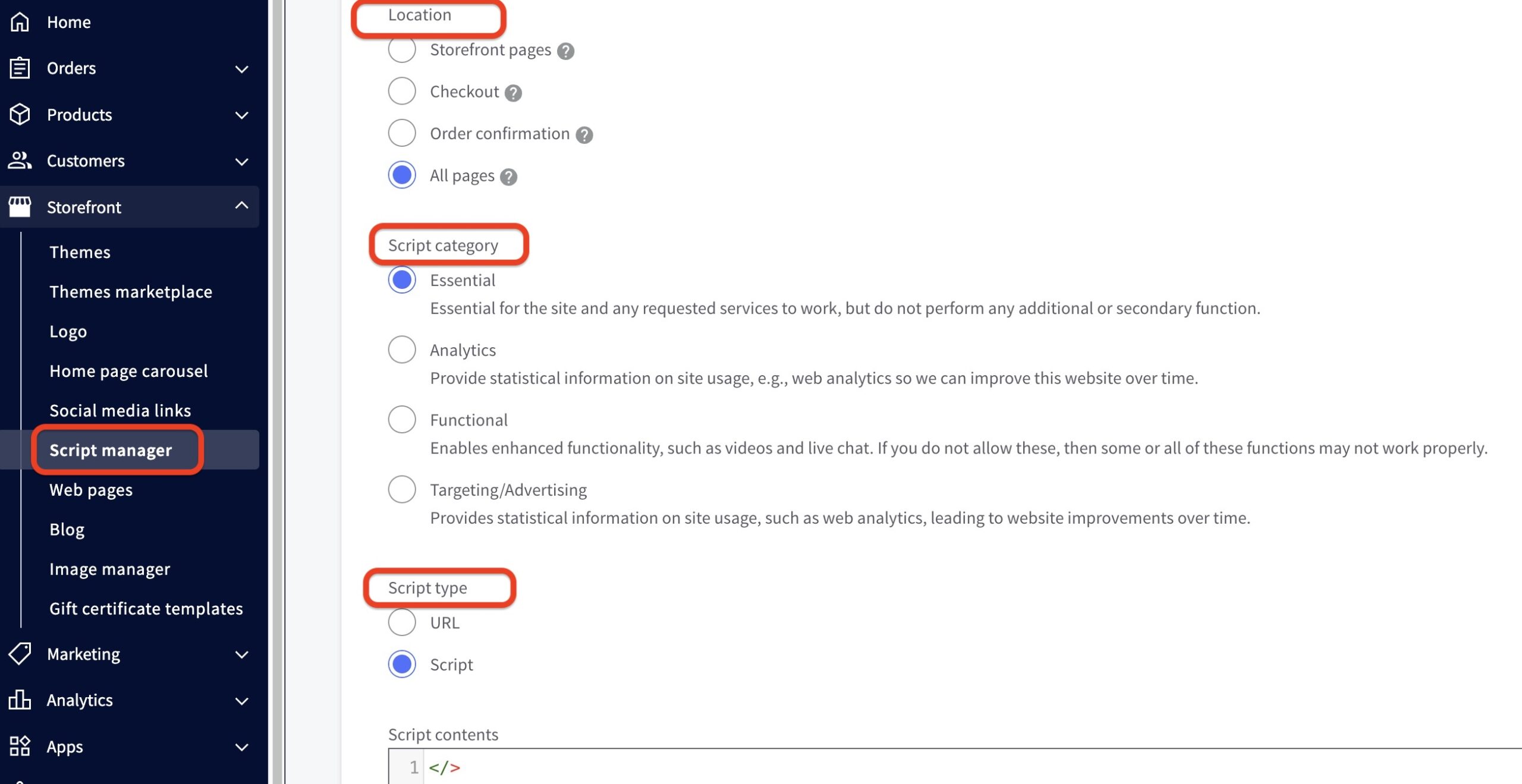
Copy and paste the code below into Script contents.
4. Lastly, hit Save on the lower right corner.
How can I change the number of blog posts displayed on the home page? #
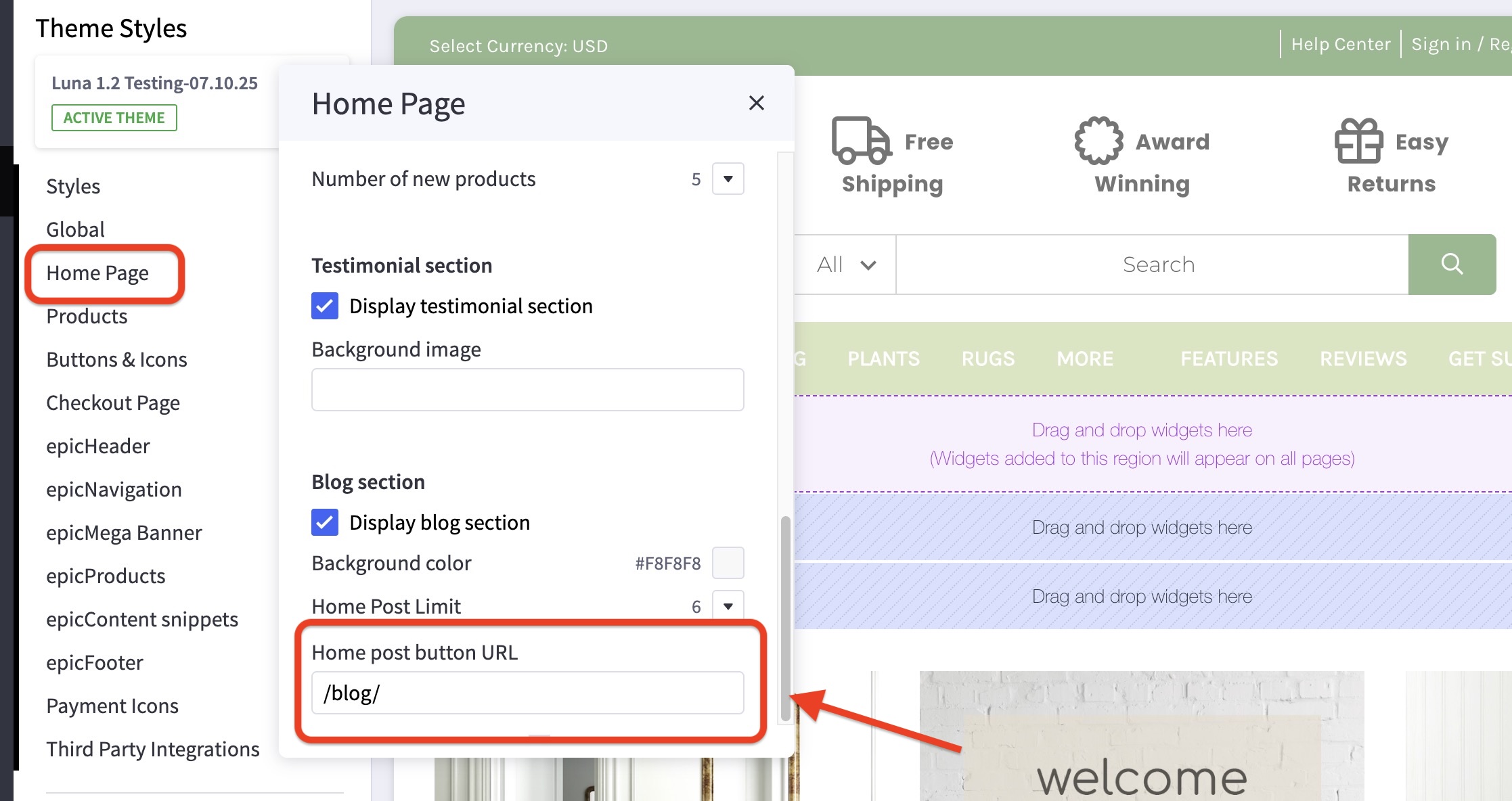
- In the theme customizer, go to the Home Page section and scroll down to the Blog subsection.
- Select your number of desired posts from the dropdown menu.

How can I change the blog post link? #
- In the theme customizer, go to the Home Page section and scroll down to the Blog subsection.
- Input the correct link for your blog page in the text box provided.