On this page
A part of the footer that shows a Google Review icon/stars.
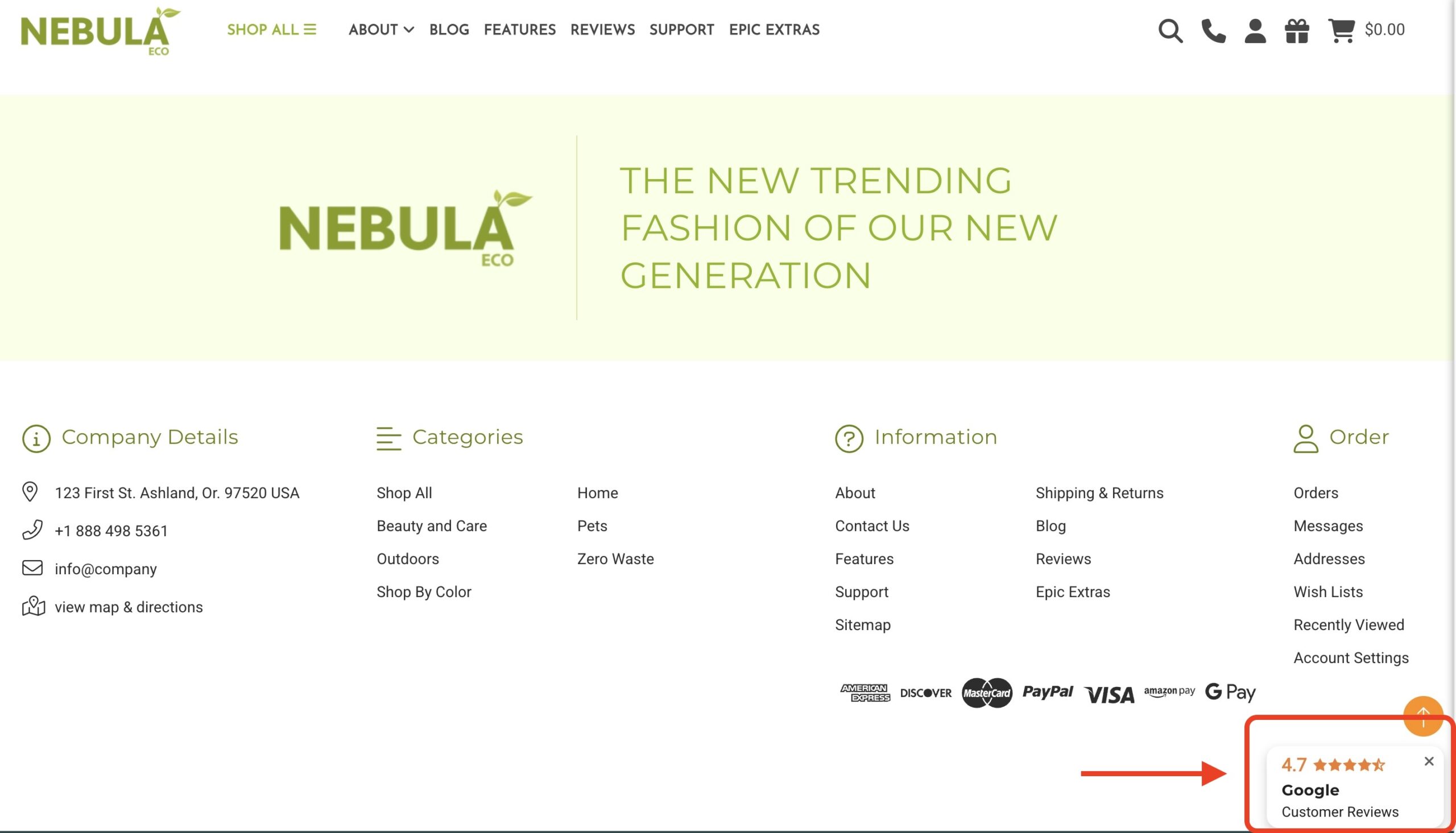
How to enable/disable the Google Review widget/icon? #
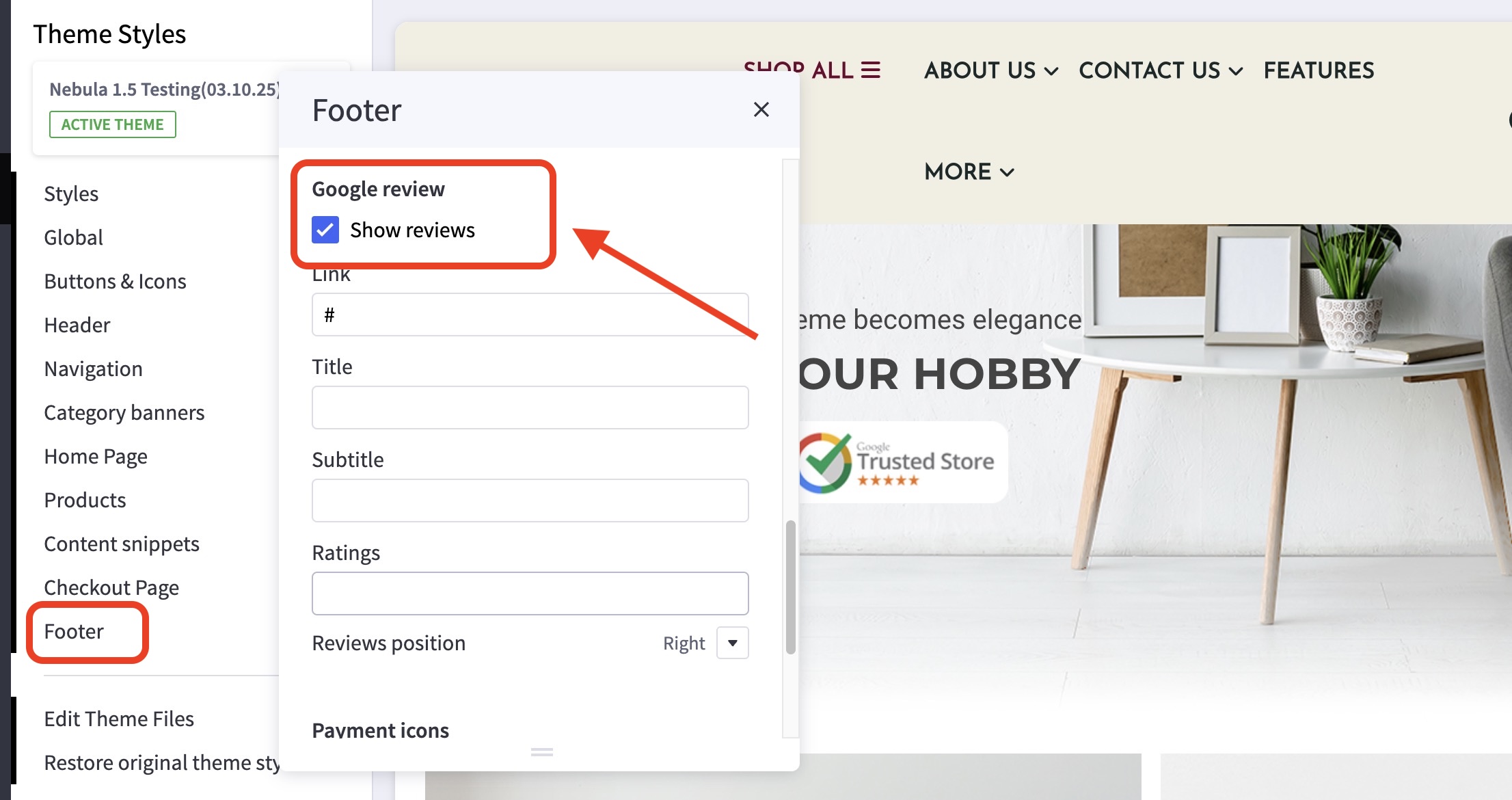
- Go to the Theme Customizer and then to the Footer section.
- Scroll down and look for the Google Reviews setting.
- You can now check or uncheck the checkbox if you wish to hide or show it.
Can I edit the Google rating and link on this widget/icon? #
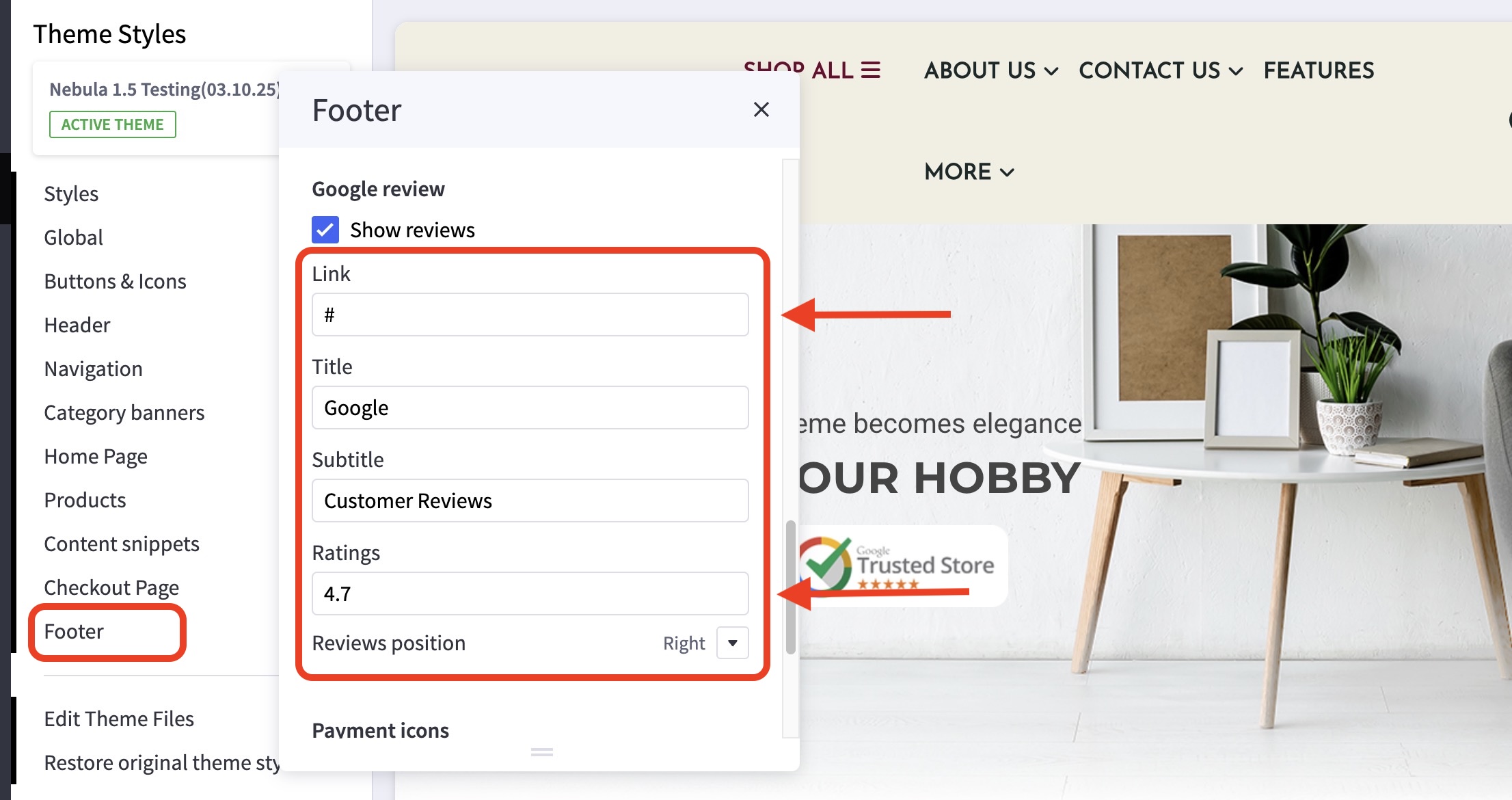
- Yes! Kindly just go to the Theme Customizer > Footer.
- Scroll down and look for the Google Reviews option.
- Change the URL Link if you wish to change the link.
- You can also change the Google Ratings (Stars).