
How Customers See Their Rewards #
Once your program is active, customers will see their rewards as they shop in your store.
Rewards Messages #
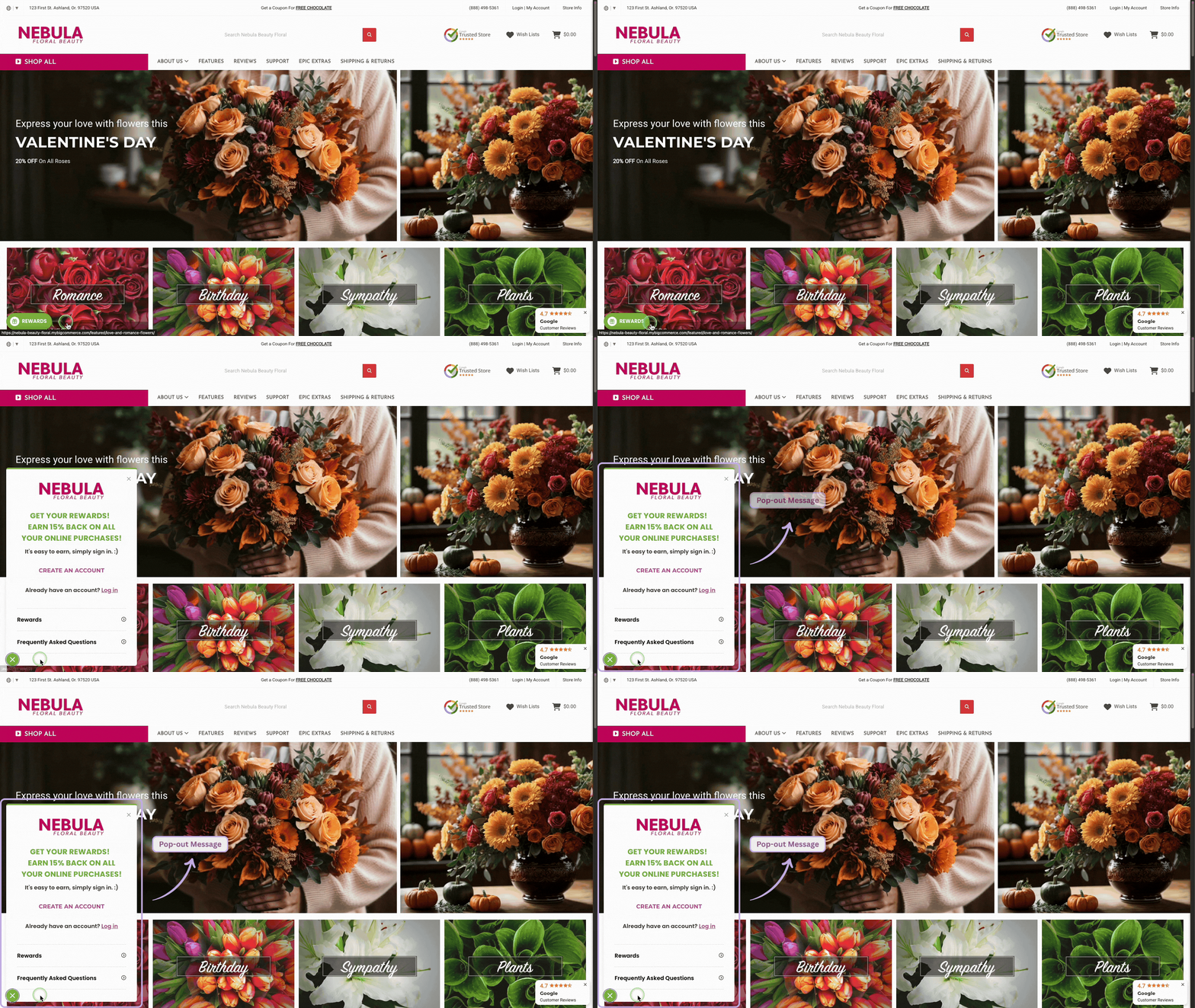
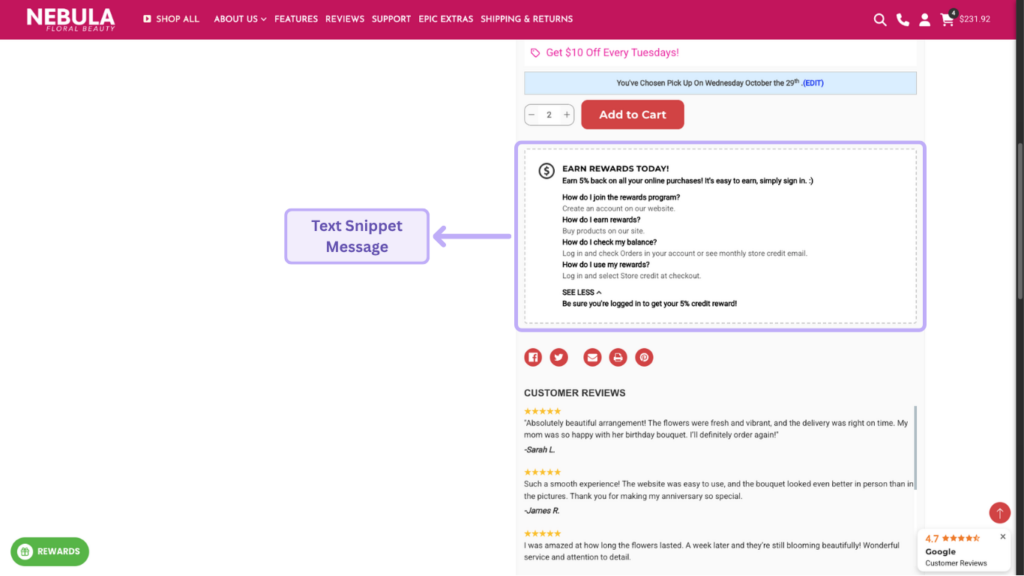
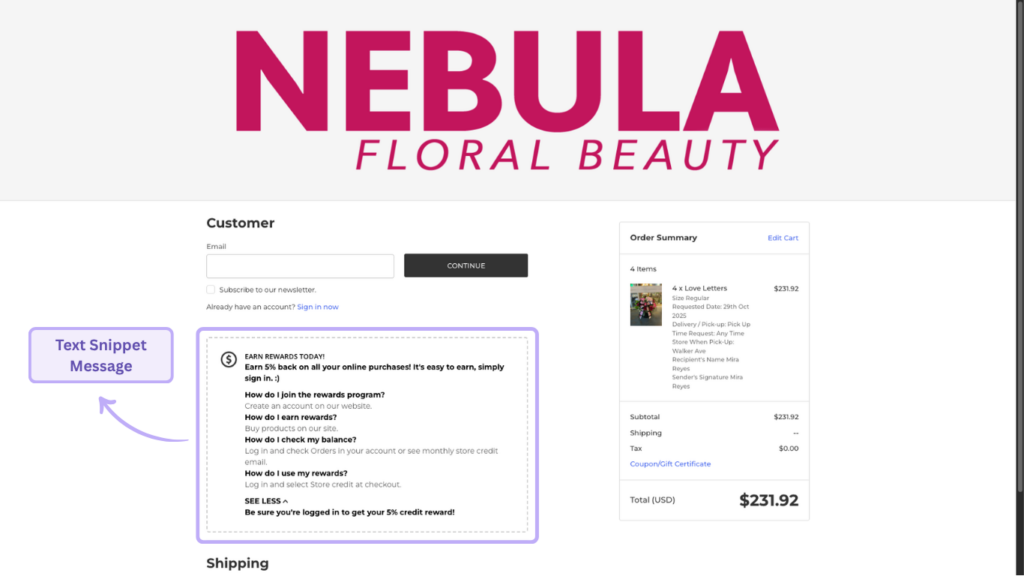
Depending on your setup, pop-ups and text snippets can appear:
- on your homepage
- on product page
- during checkout
If a customer is logged in, the pop-up can display their available balance.
If they are logged out, they’ll see an invitation showing how much they could earn.
Emails customers receive #
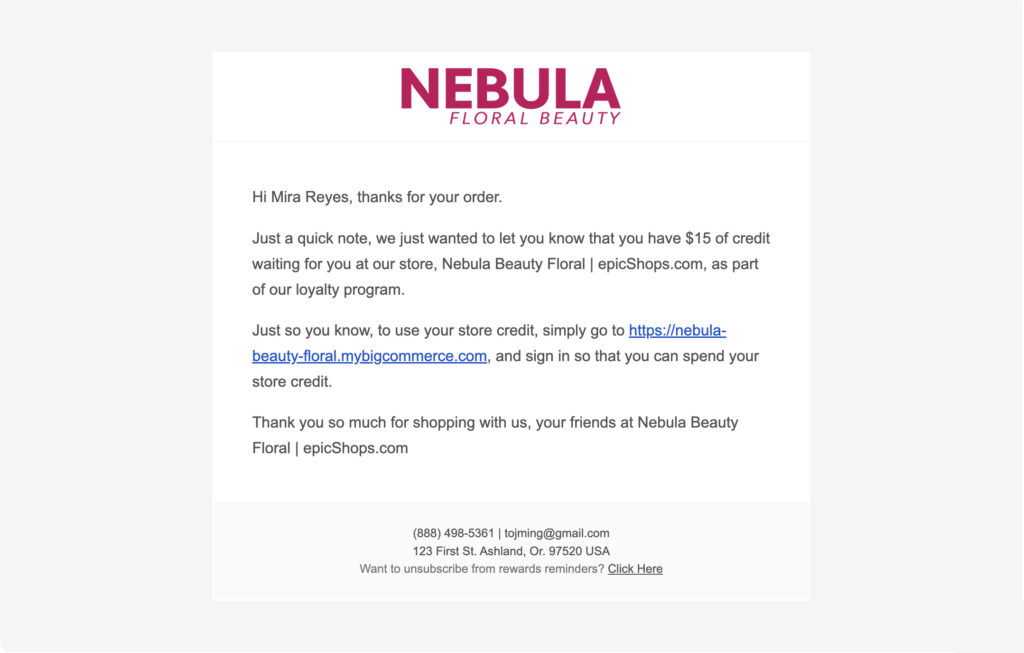
After every qualifying purchase, customers will receive an email confirming how much store credit they earned.
If a customer still has unused credit, goLoyalty will also send a monthly reminder to encourage them to return and spend it.
When rewards are given #
Rewards are given based on the order status you selected during setup.
For example, if you choose Completed, customers will receive their credit once the order reaches that status.
If you want to change how messages or emails look, you can customize them anytime.


